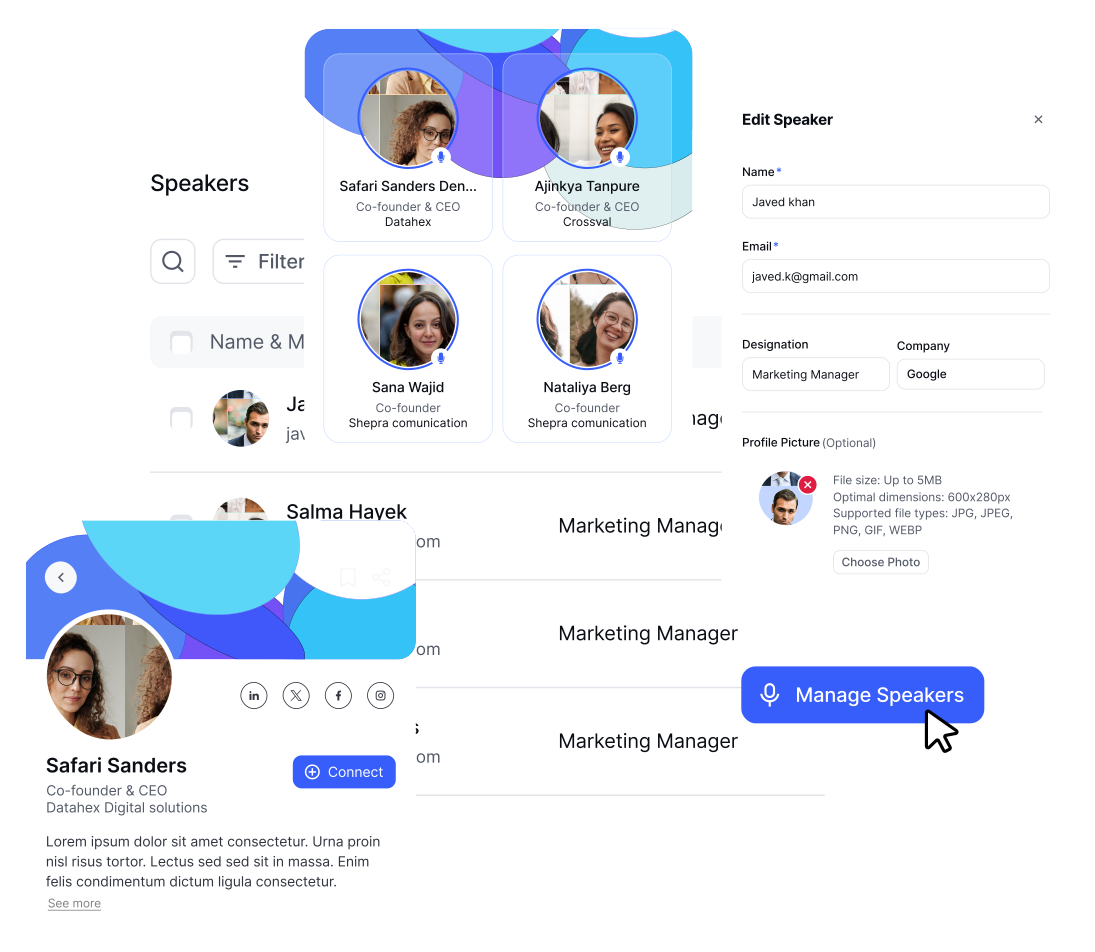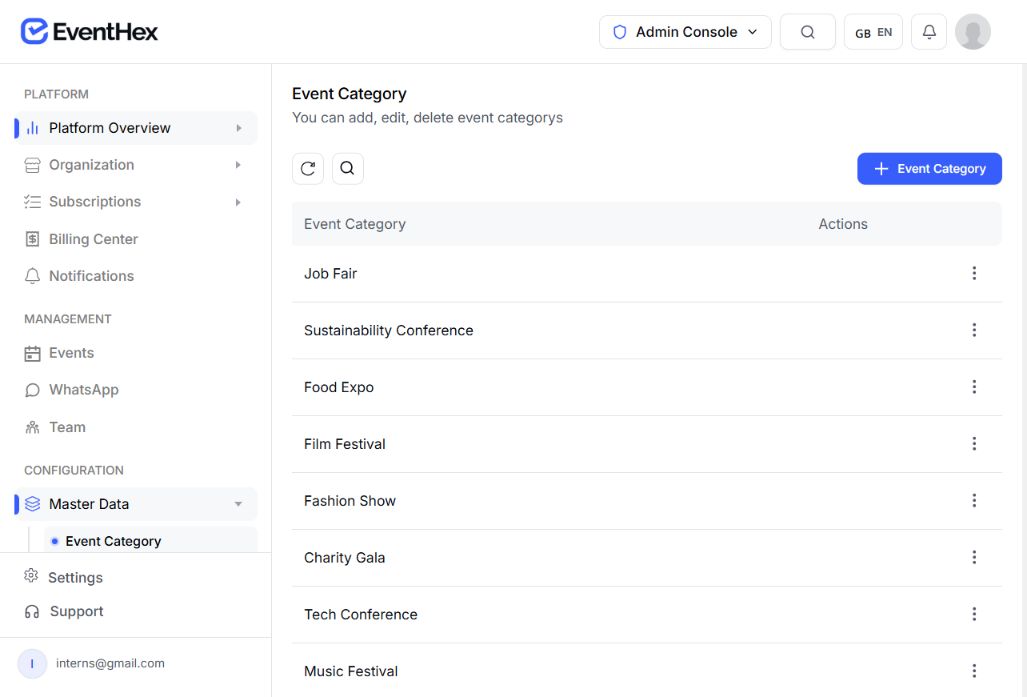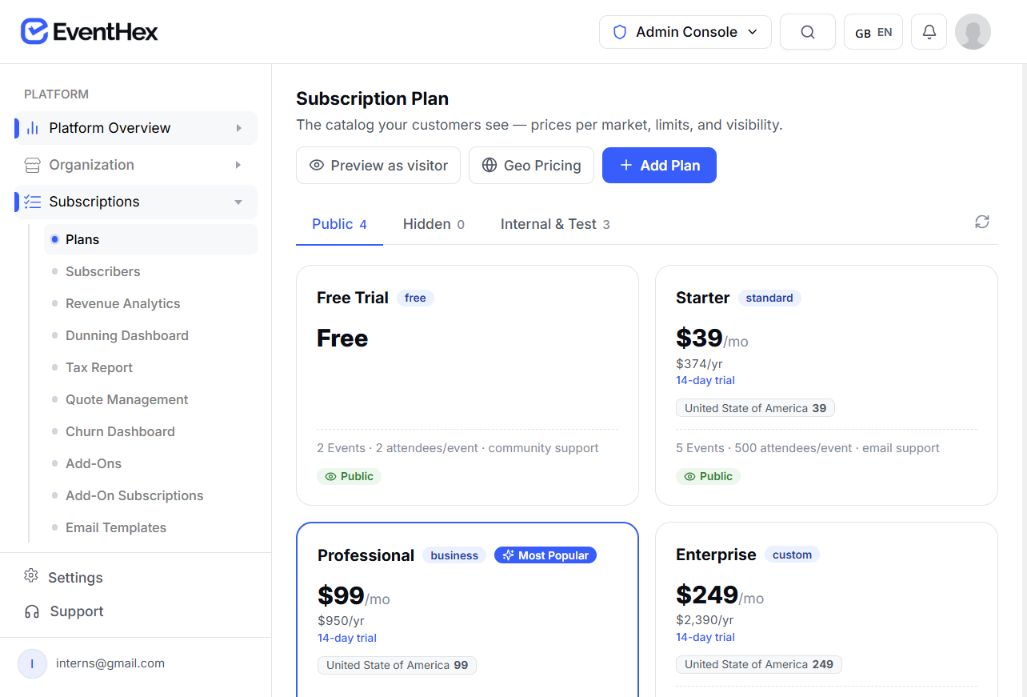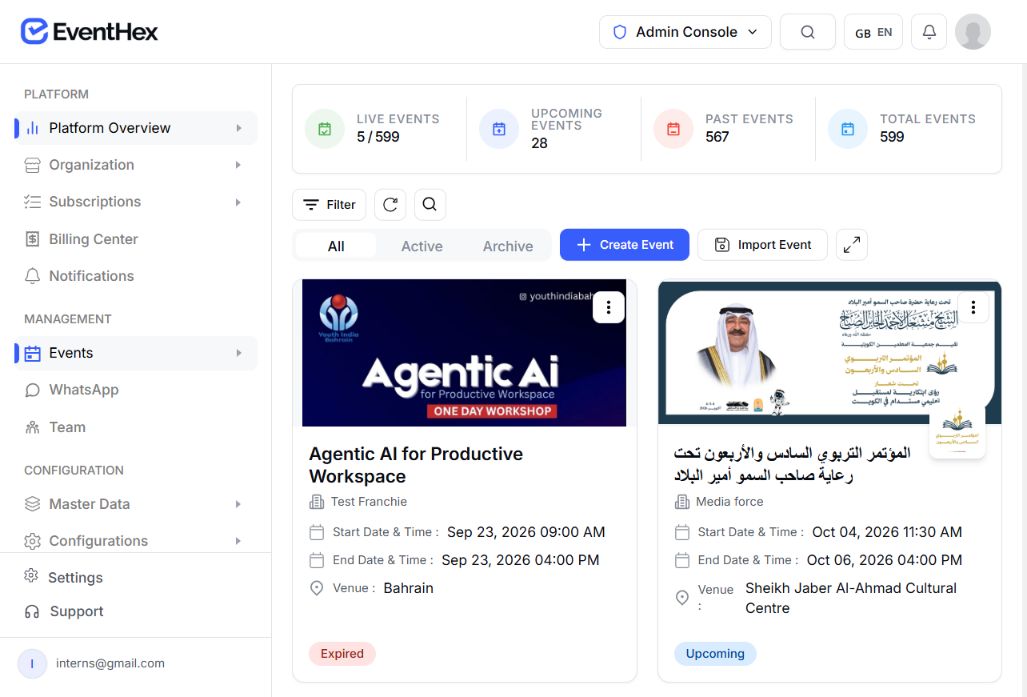
Exhibitor Management Software

Manage exhibitors from application to lead follow-up

Bring exhibitor packages, applications, company setup, booth teams, passes, products, lead capture, and performance into one connected EventHex workflow.

Application and approval Self-service exhibitor portal Lead capture and follow-up
EventHex event and exhibitor management workspace
EventHex / Exhibitors
Live Event
Future Tech Expo 2026 Hall 1–3 · 24 Exhibitor Booths
12 applications / 8 approved
Northstar Labs Approved · Gold Tier
Application reviewed & onboarding link dispatched
Exhibitor Portal Profile Published · Booth B14
3 Products listed 4 Booth staff added Brochure attached
Allocated Passes 6 of 8 Issued
QR Lead Captured Just now
Priya Menon · VP Product
High Priority Synced to CRM
DefineCreate exhibitor package types
ApplyCollect company information
ReviewApprove or reject
OnboardOpen the exhibitor portal
ActivatePublish profiles and products
CaptureManage and export leads

Define packages, then review every application

Ticket-backed packages

Create Standard, Gold, or Custom exhibitor packages with booth details, sale periods, capacity limits, and optional pricing.

Custom application forms

Collect company identity, admin contacts, custom questionnaire responses, and floor-plan attachments during registration.

Approval & review queue

Review submitted companies in one workspace. Approve or reject with custom notifications, or reverse decisions when needed.

0% fee lead capture access

Decide whether each package includes attendee QR lead capture, with zero per-scan charges or platform commission.

A portal shaped to the event

Give approved exhibitors a focused self-service workspace

Approved companies use a focused exhibitor portal to set up their booth profile, invite team members, issue passes, and manage leads — while organizers control modules and permissions.

  • Passwordless access

    Exhibitors and booth staff sign in instantly with a secure email or SMS one-time code — no passwords to forget.

  • Configurable module visibility

    Organizers toggle which tabs are enabled for the event: profile, products, team, tickets, resources, badges, leads, analytics, and FAQs.

  • Granular profile controls

    Decide whether exhibitors can update their company name, admin contact, and booth details or keep them locked to official records.

EventHex exhibitor portal workspace
BOOTH LEAD CAPTURE & CRM

From a booth scan to a workable CRM follow-up list

Give booth teams instant QR scanning and qualification on their own devices, while organizers protect attendee privacy and manage data fields.

Zero App Dependencies

Manual lead entry fallback

When a conversation doesn't begin with a badge, booth staff capture name, company, title, mobile, email, and conversation remarks manually in seconds.

Full NameTom Becker
CompanyOrbit Media
InterestEnterprise Tier
Real-Time Qualification

Prioritize and add private remarks

Tag leads High, Medium, or Low priority immediately after talking. Add status tags and private notes so post-event follow-up hits the warmest prospects first.

★ High Priority ● Warm Lead ○ General Info
Remarks

"Wants a 50-seat demo next Tuesday. Decision maker."

Handoff Architecture

Best-effort exhibitor CRM handoff

Each exhibitor can connect their own HubSpot, Zoho CRM, Salesforce, or Pipedrive. EventHex sends captured leads on a best-effort basis, so lead capture remains available even if the CRM is unavailable.

HubSpot Zoho CRM Salesforce Pipedrive
Real-time webhook & REST sync active
Privacy & Data Control

Field visibility & CSV export

Organizers control exactly which attendee registration questions are disclosed to exhibitors per ticket type. Exhibitors can export all captured records anytime with one click.

exhibitor-leads-northstar.csv
42 records · Full timestamps · Attributed
The people working the booth

Add the booth team and issue the passes already allocated

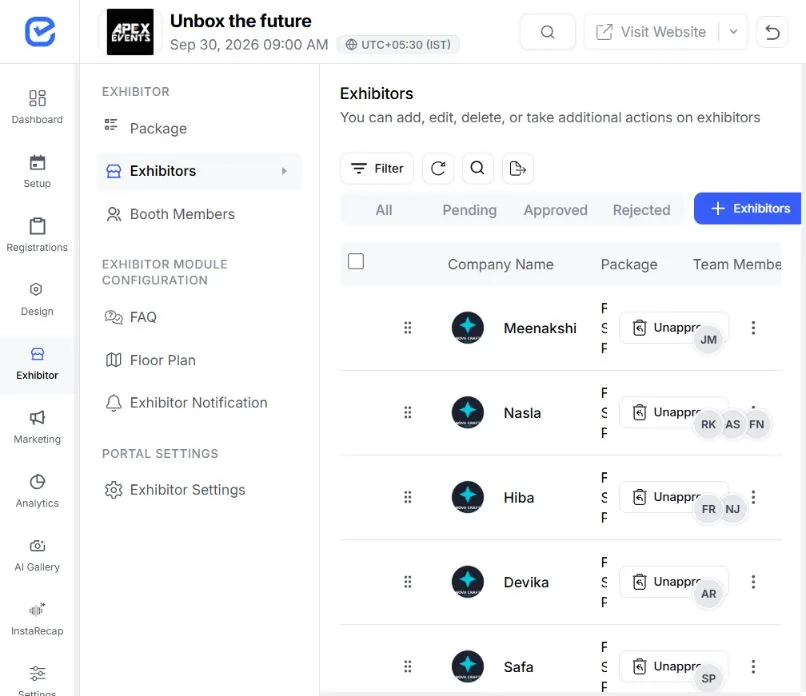
Keep exhibitor admins, booth staff, ticket allocations, and event badges tied to the approved company record without chasing spreadsheets.

  1. 01

    Add team members from the portal

    Exhibitor admins create booth member records directly without needing organizer intervention.

    EventHex exhibitor records showing booth companies, team members, and assigned packages
    Pass Allocation Summary On Schedule
    6 of 8 Issued
    Issued passes (75%)
    Available passes (25%)
    General Exhibitor Pass 4 issued · 0 remaining
    Allocated
    VIP Keynote Access 2 issued · 2 remaining
    2 Open
    Company Admin Booth Staff Scanner Operator
  2. 02

    Set admin and booth staff roles

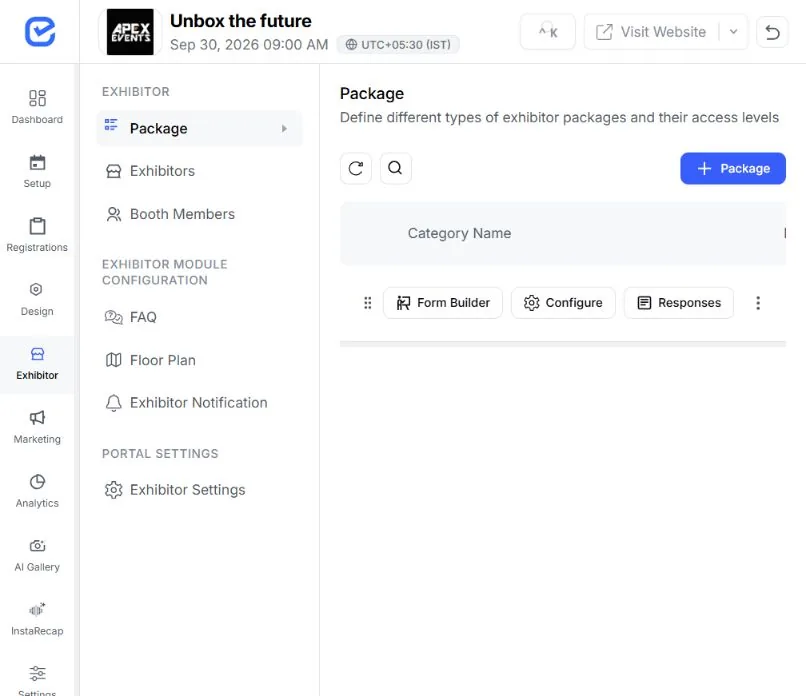
    Separate company profile and package settings from floor staff who just need mobile lead scanning.

    EventHex sponsor package categories used to separate exhibitor access levels
  3. 03

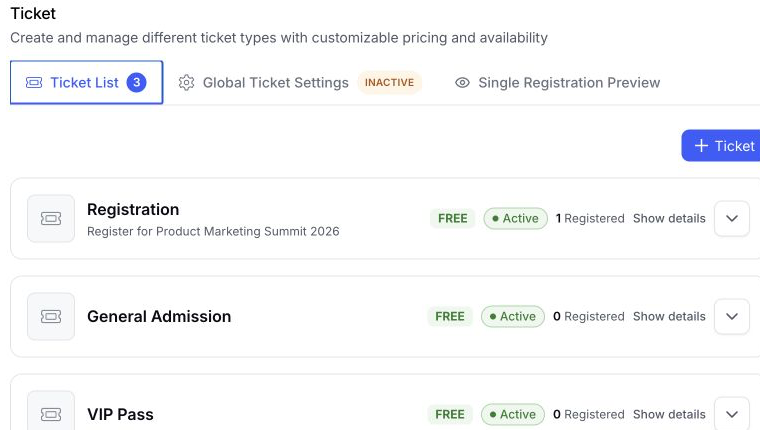
    Track pass inventory in real time

    See total, available, and issued passes broken down by each included attendee ticket type.

    EventHex ticket list showing pass inventory and registration status
  4. 04

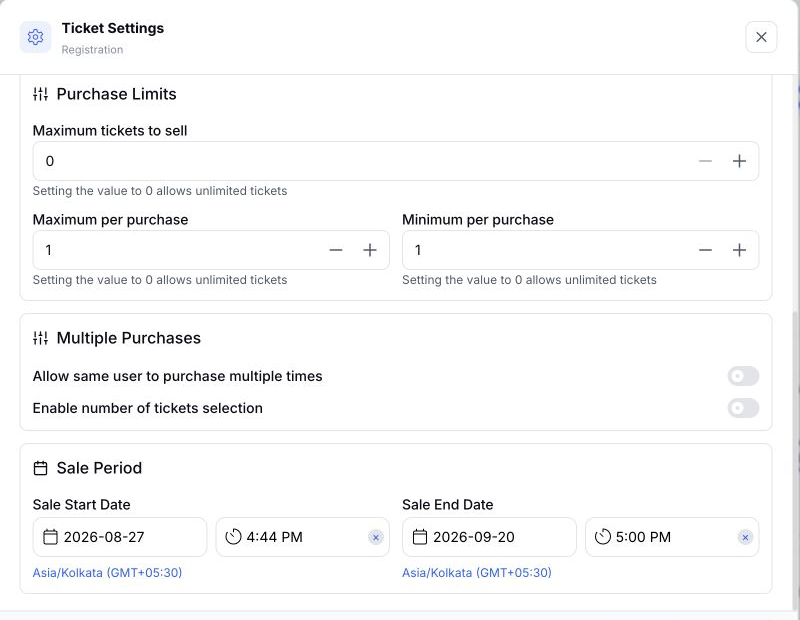
    Complete ticket-specific questions

    Collect dietary requirements, designations, and custom questions configured for the allocated pass tier.

    EventHex ticket-specific rules and questions configuration
  5. 05

    QR access and badges

    Recipients receive digital tickets with QR codes ready for on-site scanning and instant badge printing.

    EventHex QR badge card used for exhibitor team access and on-site scanning
Bring one real exhibitor workflow

See the exhibitor journey from application to captured lead

In the demo, map one package, application, approved company, booth team, pass allocation, public profile, and lead workflow to your next event.

Exhibitor Management Platform Illustration
More context at every booth

Turn each exhibitor profile into a useful product destination

Give attendees reasons to explore before, during, and after the show with company-managed product catalogs, downloadable brochures, and interactive booth discovery.

EventHex event and exhibitor workspace
Product Listings

Digital product catalog with external links

Exhibitors upload solution photos, descriptions, technical specifications, and custom destination links so attendees can research offerings straight from the event app or directory.

Northstar Analytics Suite Real-time telemetry and edge monitoring platform
View Product →
EventHex product and file management screen
Collateral & Files

Brochures & spec sheets

Attach PDF brochures, whitepapers, and pricing sheets that attendees can download directly to their devices.

PDF
product-datasheet-2026.pdf 2.4 MB · 142 downloads
EventHex exhibitor portal product screen
Mobile & Web App

Attendee bookmarks

Attendees bookmark preferred exhibitors and products in their event app to build a personalized show route.

Saved to Attendee Visit List (Hall 2 · Booth B14)
EventHex venue and event workspace screen
Venue Navigation

Floor-plan viewer

Upload titled venue maps and hall diagrams for exhibitors to review load-in routes and attendees to locate booths.

Main Exhibition Hall 1–3 Map.pdf
EventHex event directory workspace screen
Website Integration

Searchable public exhibitor directory

Automatically publish approved exhibitors on your EventHex website. Attendees filter by category, search by keywords, and review company profiles with zero manual duplicate entry.

All Exhibitors (24) Cloud & DevOps AI & Automation Cybersecurity
Performance you can act on

See when leads arrived and how the booth team contributed

Use real-time lead capture velocity, priority distributions, and team-level metrics to guide immediate follow-up and measure booth ROI.

  • Lead pace & period trends

    Review captured leads across 7, 14, 30, or 90 days with daily pace, average per day, and peak hours.

  • Priority mix distribution

    Understand how your captured leads are distributed across High, Medium, and Low priority conversations.

  • Team member attribution

    Compare total leads and recent activity by booth staff to recognize top performers and balance booth shifts.

  • Organizer overview

    View aggregate lead counts across all booths or drill down per company from the organizer control center.

EventHex lead analytics dashboard
Leads Captured Future Tech Expo 2026
7d 30d 90d
Priority Mix Breakdown 42 Total Leads
High 26% Medium 46% Low 28%
Booth Staff Attribution
Priya M. 18 leads (43%)
Daniel R. 15 leads (36%)
Aisha K. 9 leads (21%)
BUILT FOR EXHIBITOR-HEAVY EVENTS

Built for the events that rely on exhibitors

Manage packages, booths, staff, and leads across trade shows, summits, and corporate expos in one unified workspace.

Coordinate high-volume
booths, faster

Manage exhibitor applications, booth packages, staff passes, attendee discovery, and lead capture across event formats.

REPLACES
  • Custom booth package tiers and pricing
  • Bulk staff pass distribution and check-in
  • High-speed QR lead capture with offline caching
EventHex event workspace
Multi-hall trade show
Trade shows & expos Live Module Workspace
Package Allocation
24 / 30 Booths Allocated
Lead Sync & Attended
Real-time Check-in Active

Connect sponsors with
the right attendees

Publish sponsor-exhibitor profiles directly on the agenda and enable booth representatives to engage in targeted B2B networking.

REPLACES
  • Integrated company profile on event website
  • Direct link to sponsored sessions and speakers
  • Lead qualification with custom sales remarks
EventHex event workspace
Conference sponsor booths
Conferences & summits Live Module Workspace
Package Allocation
24 / 30 Booths Allocated
Lead Sync & Attended
Real-time Check-in Active

Simplify vendor &
member onboarding

Review member vendor applications, distribute included association passes, and keep setup instructions in one centralized portal.

REPLACES
  • Application review and approval workflows
  • Included member pass entitlement tracking
  • Direct floor-plan and compliance file distribution
EventHex event workspace
Association vendor portal
Association expos Live Module Workspace
Package Allocation
24 / 30 Booths Allocated
Lead Sync & Attended
Real-time Check-in Active

VIP partner coordination
without spreadsheets

Coordinate invited strategic partner companies, private ticket allocations, shared resources, and executive attendee discovery.

REPLACES
  • Passwordless magic link entry for partner admins
  • Private ticket-restricted pass issuing
  • Automated lead handoff to exhibitor CRMs
EventHex event workspace
Corporate partner showcase
Corporate partner events Live Module Workspace
Package Allocation
24 / 30 Booths Allocated
Lead Sync & Attended
Real-time Check-in Active
Quick Answers

Exhibitor Management
Questions, Answered.

Find quick answers about exhibitor applications, portal self-service, booth staff passes, QR lead capture, and CRM handoff.

Visit Help Center
What can organizers manage before approving an exhibitor?

Create exhibitor package types, configure application fields and pass allocations, review submitted companies, approve or reject them, and resend onboarding communication when needed.

What can an approved exhibitor do in the portal?

Depending on the modules enabled for the event, the exhibitor can update its company profile, manage products and resources, add booth members, issue allocated passes, view badges and floor-plan files, read announcements and FAQs, scan leads, and review analytics.

How does exhibitor lead capture work?

Booth staff can scan an attendee QR code from the exhibitor portal or add a lead manually. The lead stays connected to the event, exhibitor, and capturing team member.

Can exhibitors qualify and export leads?

Yes. They can search and filter leads, set high, medium, or low priority, add a status and remarks, and export available lead data as CSV.

Can captured leads go to a CRM?

An exhibitor-specific connection can be configured for HubSpot, Zoho CRM, Salesforce, or Pipedrive. EventHex sends captured leads on a best-effort basis, so lead capture remains available even if the CRM is unavailable.

Does EventHex include an interactive booth-layout editor?

No. The current workflow stores booth numbers and lets organizers upload titled floor-plan files that exhibitors can view or download. A visual drag-and-drop booth inventory and selection workflow is not available.