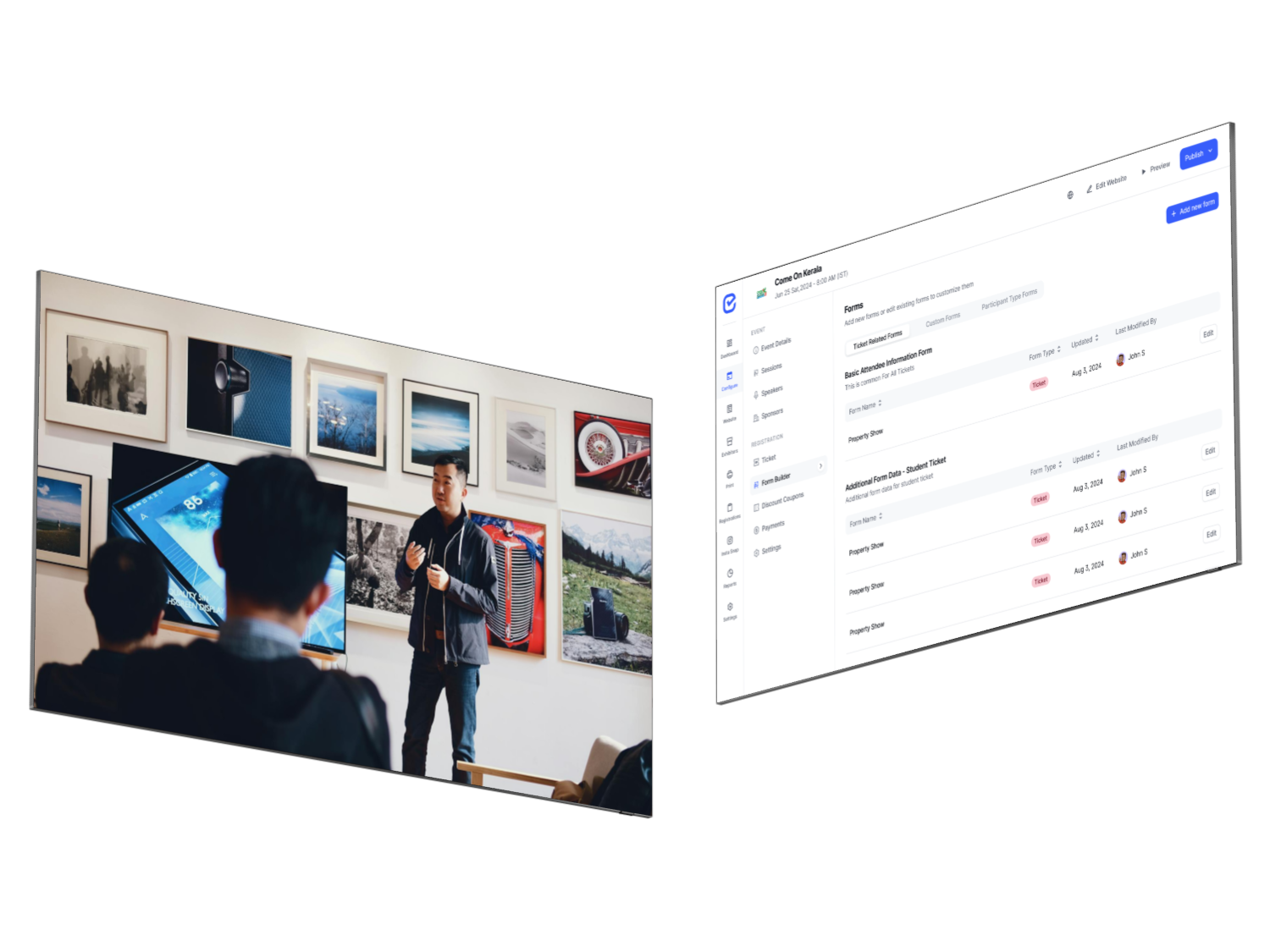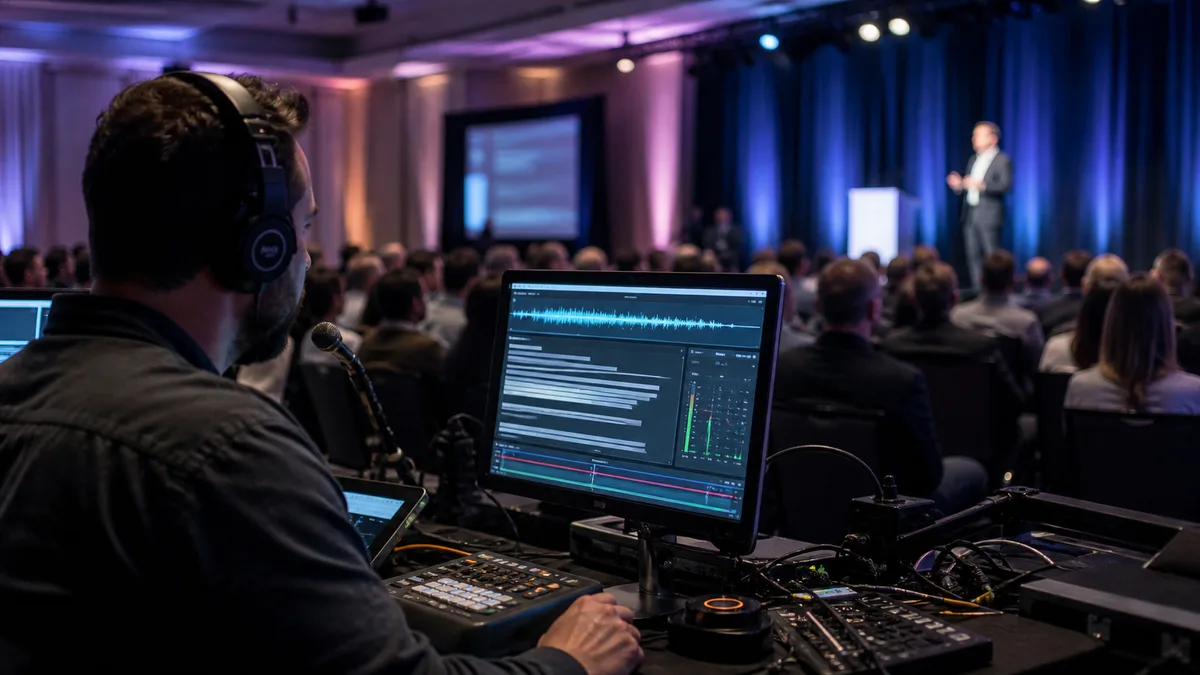
Short answer: AI meeting notes help a small working group remember a conversation, decisions, and action items. AI session recap software helps an event organizer turn live or recorded conference sessions into useful content for attendees, speakers, and internal teams. The transcript may be the starting point for both, but the audience, workflow, permissions, delivery, and scale are different.
For an internal planning call, a meeting notetaker may be exactly what you need. For a multi-track conference, association congress, exhibition, or customer event, it usually is not enough on its own. Event organizers need to think beyond “Can this tool summarize audio?” and ask, “Can it connect each session to the right event context and deliver the right result to the right people?”
This guide explains the difference between AI meeting notes and AI session recap software, when each category is useful, and how to design a hybrid workflow when the event team needs both.
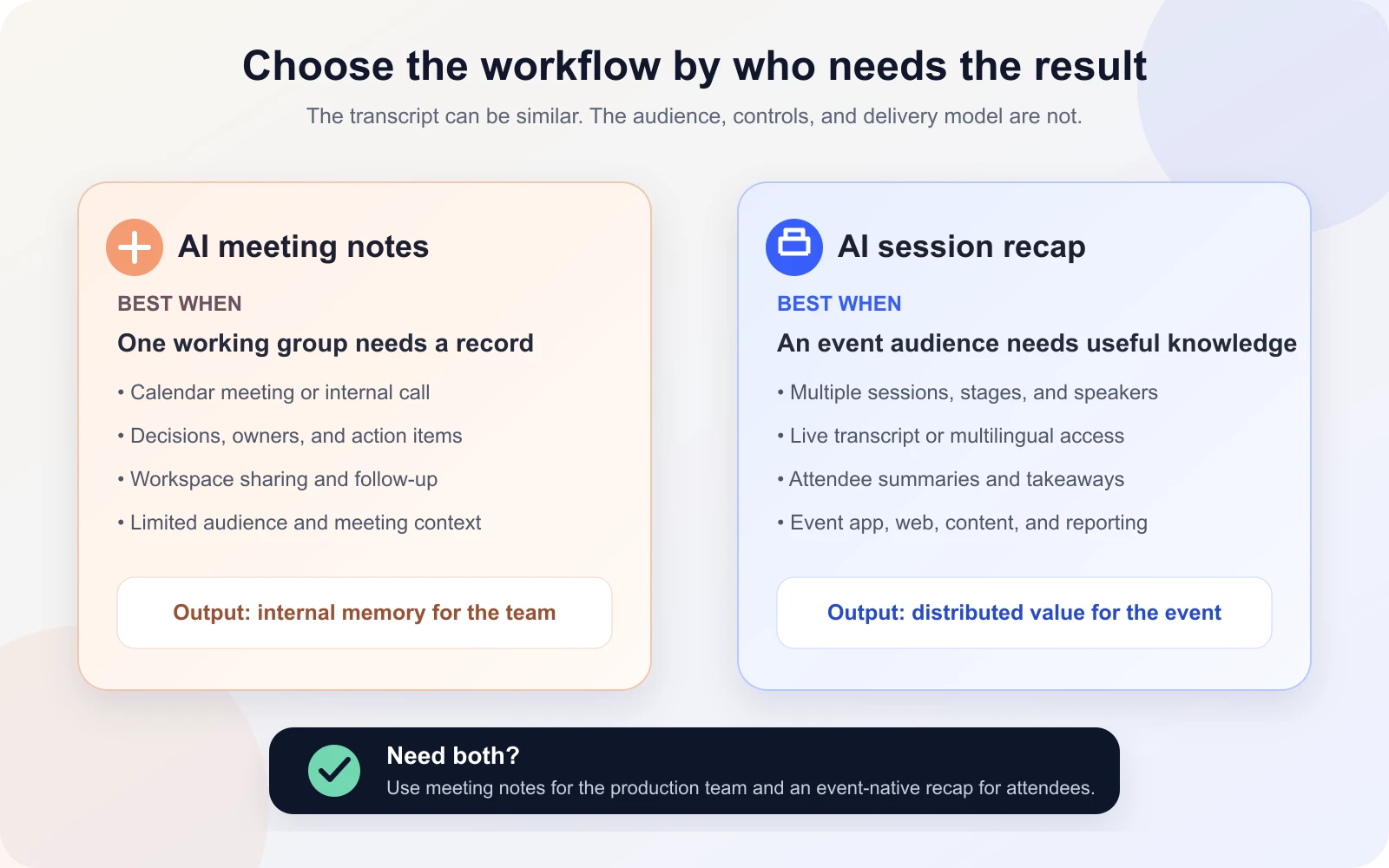
AI meeting notes vs. AI session recap software at a glance
| Decision area | AI meeting notes | AI session recap software |
|---|---|---|
| Primary audience | People who attended one working meeting | Attendees, organizers, speakers, content teams, and sometimes sponsors |
| Typical source | Calendar meeting, video call, or uploaded recording | Live room audio, virtual session, stream, uploaded audio, video, or available captions |
| Main goal | Remember decisions, owners, and follow-up tasks | Extend the value and accessibility of event sessions |
| Context | Meeting title, participants, agenda, and team workspace | Event, track, stage, session, speaker, attendee, language, and access context |
| Live attendee value | Usually secondary or limited to meeting participants | May include live transcription, translation, evolving takeaways, or accessible session content |
| Outputs | Notes, transcript, summary, decisions, and action items | Transcript, overview, detailed summary, takeaways, resources, translations, social content, posters, PDFs, or searchable recaps |
| Delivery | Email, calendar, meeting workspace, or collaboration tool | Event app, mobile web, session page, content hub, organizer workspace, or approved share asset |
| Operational scale | One meeting at a time | Multiple rooms, tracks, speakers, sessions, and attendee groups |
The categories overlap. A meeting-notes product may transcribe a webinar, and an event-recap platform may create action-style takeaways. The difference becomes clearer when you look at the complete operating model rather than one AI output.
What are AI meeting notes?
AI meeting notes are generated from a call, recording, or transcript to help participants remember what happened and what to do next. Common outputs include a summary, discussion topics, decisions, action items, owners, timestamps, and a searchable transcript.
The strongest meeting-note workflows are connected to the tools a working team already uses. For example, Microsoft Teams recap brings together the meeting recording, transcript, shared files, notes, agenda, and follow-up tasks. Microsoft’s Facilitator can generate collaborative notes that participants can edit. Similar products may join a call as a bot, record through a desktop app, or work from an uploaded file.
This category is useful because meetings are operational. The people reading the notes generally know the project, understand the context, and need an internal memory of the conversation. If a decision is missing, a participant can correct it. If an action item is wrong, the team can reassign it.
AI meeting notes are usually enough when:
- the audience is the small group that attended the meeting;
- the main output is decisions, owners, and next steps;
- the content belongs inside a team workspace;
- one calendar meeting maps cleanly to one transcript;
- the notes do not need to become a branded attendee experience;
- you do not need to coordinate simultaneous physical rooms or conference tracks.
For event organizers, that makes meeting notetakers valuable for production calls, speaker briefings, sponsor meetings, vendor coordination, internal debriefs, and post-event review meetings.
What is AI session recap software?
AI session recap software is designed around an event programme rather than a calendar meeting. It connects spoken content to a session, speaker, track, event, and audience, then turns that content into formats people can use during or after the event.
A basic session recap may contain a transcript and short summary. A more complete event workflow may add live transcription, translated content, key takeaways, resources, speaker context, attendee access controls, shareable content, and organizer review. Some platforms also help the content team reuse session knowledge after the event.
This is why the event category is not just a larger meeting notetaker. A conference may have several sessions running at the same time, different access rules, specialist vocabulary, on-site audio constraints, and thousands of people who were not part of the organizer’s internal workspace.
Cvent’s Session Snapshots, for example, lets eligible in-person attendees save a moment from a session and receive a transcript excerpt, AI-generated title and summary, and an optional slide image. That attendee-led pattern is very different from creating minutes for the event team’s weekly call.
The seven differences event organizers should evaluate
1. The audience changes the product
A meeting summary is normally written for people who were invited to the meeting. A session recap may be read by someone in the room, someone attending another track, a registered attendee watching later, a speaker checking how their session was represented, or a content editor preparing an approved public asset.
That broader audience creates new requirements: mobile usability, clear session identity, attendee access, editorial review, branding, and a safe way to share content without exposing an internal workspace.
2. Event context matters as much as the transcript
A transcript alone does not know which conference, stage, track, or session it belongs to. It may not carry the correct speaker profile, session description, scheduled time, or access rule. At event scale, those relationships are necessary for discovery and trust.
An event-native recap should preserve that structure. Attendees should not have to search a folder of filenames to find the session they just attended. Organizers should be able to connect recap content to the same agenda and speaker records used across the event experience.
3. Live value is a separate requirement
Many meeting tools focus on what appears after the call. Events may need useful content while the speaker is still on stage: live transcription, translated text, accessible captions, or evolving takeaways. That introduces room audio, latency, connectivity, vocabulary, device, and accessibility questions that a post-meeting summary does not answer.
Ask every vendor which features are truly live, which are provisional, and which are generated only after processing finishes. A polished post-session recap does not prove that the same system can support a live attendee experience.
4. One meeting is not a multi-track programme
A meeting tool can work very well when one bot or recorder maps to one conversation. A conference may have ten rooms operating simultaneously, rapid changeovers, panels with overlapping speakers, hybrid sessions, and recordings arriving from different sources.
The organizer needs an operating plan: how each room is captured, how audio is assigned to the correct session, who watches failures, how late programme changes are handled, and who approves content. Evaluate the operational dashboard and exceptions, not only the quality of one demo summary.
5. Event permissions are more complex
Meeting notes often inherit permissions from the meeting or collaboration workspace. Event recaps may be public, attendee-only, ticket-restricted, organizer-only, or available for selected sessions. Some sessions may be excluded because of speaker agreements, confidential material, or recording consent.
Before rollout, define who can access the transcript, summary, translated content, downloadable files, and share assets. Also document retention, correction, and deletion responsibilities. Do not assume that a share link built for an internal meeting is suitable for attendee distribution.
6. The useful output is broader than action items
Action items are ideal for a project meeting. A conference attendee may instead need a concise overview, memorable takeaways, references mentioned by a speaker, translated content, or an easy way to revisit a session they missed. A content team may need reviewed quotes, social copy, a report, or material for a post-event knowledge hub.
The right recap format depends on the recipient. One generic summary for everyone is simpler, but it may not serve attendees, speakers, organizers, and marketers equally well.
7. Public content needs a review workflow
AI-generated language can sound confident even when it misses nuance, mishears a name, merges two speakers, or invents a connection. Microsoft’s own meeting-recap guidance tells users to verify AI-generated content. That caution matters even more when the result will be published to an event audience.
Assign a human owner for technical sessions, regulated topics, attributed quotes, sponsor references, translations, and public summaries. The AI output should be treated as a fast draft or attendee aid—not an unquestionable record.
When a generic AI meeting notetaker creates event risk
A meeting assistant is not automatically a poor choice for an event. It becomes risky when the organizer expects it to perform an event-wide job it was not designed to manage.
Watch for these warning signs:
- Manual session mapping: staff must rename, move, and reconnect every transcript after capture.
- Internal workspace exposure: attendee access depends on sharing a meeting folder or team link.
- No programme context: the result has no dependable relationship to the agenda, stage, track, or speaker profile.
- No live event path: the product generates notes after the call but cannot support the required in-room or multilingual experience.
- No exception view: the team cannot quickly see which sessions processed, failed, or still need review.
- One-size-fits-all output: internal action notes are delivered to attendees, or attendee summaries are treated as production minutes.
- Unclear rights and consent: recording, sharing, retention, and public reuse were never defined for speakers and attendees.
If these gaps apply, keep the meeting notetaker for internal work and add an event-native recap layer for attendee-facing content.
How EventHex InstaRecap approaches the event workflow
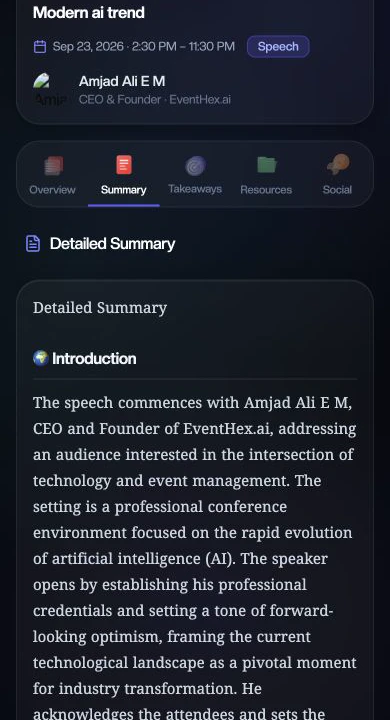
EventHex InstaRecap connects recap content to the wider event system. The current attendee-facing session experience can organize a processed session into Overview, Summary, Takeaways, Resources, and Social views. It uses existing event, session, and speaker context rather than presenting the result as an isolated recording.
For live sessions, the implementation supports live transcription and event-configured language options. For processed sessions, EventHex can work from uploaded audio and available YouTube captions. Organizer workflows include transcript and session management, access controls, translation settings, AV-team operations, and usage indicators.
The attendee experience can present an overview, detailed summary, key takeaways, resources, and social content. Takeaways can be copied or shared, turned into poster-style assets, or collected into a PDF. The exact capture method, language availability, access rules, and output plan should still be tested with the venue’s real audio and a representative session.
InstaRecap also complements session management, the event mobile app, and the broader EventHex AI platform. That connection is the main reason to evaluate an event-native solution: the recap stays part of the attendee and organizer journey instead of becoming a separate pile of files.
A practical hybrid workflow: use both categories
Most event teams do not need to choose one category for every conversation. The better design is often a hybrid:
- Use AI meeting notes for production work. Capture internal planning calls, vendor meetings, speaker briefings, and the post-event debrief. Keep decisions and action items in the team’s normal workspace.
- Use AI session recap software for programme content. Connect keynote, panel, workshop, and breakout content to the correct session and attendee experience.
- Define the boundary before the event. Decide which sessions may be recorded, which outputs are live, who can access them, and what requires review.
- Test the complete audio path. Use the venue mixer, microphones, virtual platform, stream, or upload route that will be used in production.
- Assign review owners. Give internal meeting notes to the relevant project owner and public session recaps to an editorial owner who understands the topic.
- Measure the right outcome. For meetings, evaluate whether decisions and follow-ups are captured. For sessions, evaluate whether attendees can discover and use the recap without leaving the event journey.
Buyer checklist for event organizers
Use these questions during a product demonstration or pilot:
- Does the product serve internal meeting participants, event attendees, or both?
- How does every transcript connect to the correct event, session, track, stage, and speaker?
- Which capture sources are supported for the exact room and virtual setup?
- Which outputs are available live, and which appear only after processing?
- Can attendees use the recap comfortably on a phone?
- How are translation languages configured and tested?
- Can organizers restrict access by event or session?
- Who can edit, approve, correct, hide, or delete the output?
- How does the team see failed, delayed, or incomplete sessions?
- Can the result appear inside the current event app or website?
- Which outputs can be safely shared or reused after the event?
- What speaker notice, consent, retention, and AI-provider terms apply?
Run the pilot with your hardest realistic content: a panel, specialist terminology, accents, audience questions, venue noise, overlapping speech, and the languages you actually need. A clean two-person online demo does not prove readiness for a multi-room conference.
Frequently asked questions
Can ChatGPT summarize meeting notes?
Yes. If you provide a transcript or notes, ChatGPT can create a summary, action list, or structured recap. The important questions are how the source content is captured, whether sharing it is permitted, and who verifies the result. ChatGPT alone does not automatically provide event-level session mapping, attendee delivery, access controls, or live room operations.
Is there an AI notetaker that does not join meetings?
Yes. Some tools use a desktop recorder, built-in meeting-platform feature, browser capture, or uploaded file rather than a visible bot participant. For events, the same question should be expanded: can the product receive audio from the venue, stream, virtual platform, or recording workflow without disrupting speakers or attendees?
What do you call a recap after an event?
Common terms include event recap, post-event recap, session summary, session recap, conference report, and event highlights. “AI session recap” is more precise when the content is generated for individual conference sessions. “Event recap” often refers to a wider article or video summarizing the entire event.
Can a meeting notetaker work for a webinar?
Yes, particularly when one internal team needs the transcript, summary, and action items. It may be insufficient when the webinar recap must be published to a large audience, translated, connected to attendee access, or reused across an event content hub. Choose based on the delivery workflow, not the label “webinar.”
Do AI session recaps replace event recordings?
No. A recap makes session knowledge easier to scan and use, while the recording preserves the full presentation, tone, and visual context. Many organizers benefit from both: a concise recap for discovery and a recording for attendees who want the complete session.
Should organizers publish AI-generated session summaries without review?
Not when accuracy, attribution, safety, or reputation matters. Public summaries, named quotes, technical topics, translated content, sponsor references, and regulated subjects should have a defined human review path. AI can accelerate the draft, but the organizer remains responsible for the published result.
Choose the workflow your audience actually needs
AI meeting notes solve a clear and valuable problem: helping a working group remember a conversation and act on it. AI session recap software solves a different problem: turning event content into an accessible, structured, and distributable attendee experience.
Use meeting notes for the team running the event. Use event-native recap software for the people attending it. If you need both, keep the responsibilities, permissions, and review paths separate—and connect them through a deliberate production workflow.
To see how EventHex connects live and processed session content with the agenda, attendee experience, multilingual access, summaries, takeaways, resources, and share-ready outputs, compare the wider AI session recap and event transcription tools or book a product walkthrough.