Short answer: The best AI session recap tool depends on where you need the value to appear. EventHex, Cvent, Snapsight, Swapcard, Wordly, PHONT, Conference AI, RecapHub, and Voxo all turn spoken conference content into something more useful than a raw recording. But they solve different problems: some serve attendees during the session, some add summaries to an existing event app, and others are built primarily for post-event content teams.
The distinction between event transcription and an AI session recap matters. Transcription captures what was said. A useful recap goes further by organizing the transcript into summaries, takeaways, resources, shareable content, or searchable knowledge. Conference organizers should compare the complete workflow—from live room transcription and permissions to attendee delivery and editorial review—not just the presence of an AI label.
This guide compares nine event-focused products and features available in 2026. It is intended for conference, association, exhibition, and corporate-event teams evaluating live event transcription, multilingual access, attendee recaps, and post-event content workflows. Teams searching for conference transcription software should use the comparison to separate live access requirements from post-session recap and content-production needs.
Want session recaps connected to your agenda, speakers and event app? Book a 30-minute EventHex demo and we’ll show you how recaps would work for your sessions.
Best AI session recap and event transcription tools at a glance
| Platform | Primary workflow | Notable attendee or content outputs | Best fit |
|---|---|---|---|
| EventHex InstaRecap | Live and recorded event sessions within an event-management platform | Live transcript, multilingual experience, summaries, takeaways, resources, personalized social content, posters, and PDF | Organizers who want recap content connected to agenda, speakers, attendees, and the event app |
| Cvent Session Snapshots | Attendee-triggered capture during eligible in-person sessions | Transcript excerpt, AI title and summary, optional slide image, and full-session takeaways | Existing Cvent Attendee Hub customers focused on in-app note capture |
| Snapsight | Real-time event transcription, translation, insights, and audio | Live takeaways, idea clouds, cross-session patterns, translated text and audio | Large in-person, virtual, or hybrid programs requiring a specialist live layer |
| Swapcard AI Session Summaries | Transcript-to-summary processing after video sessions | Editable summaries displayed on session pages in the attendee app | Swapcard users who want controlled summaries beside on-demand content |
| Wordly AI Summaries | Translation and captioning first, followed by transcript-based summaries | Live captions, translation, transcripts, summaries, subtitles, and dubbing workflows | Multilingual and accessibility-led events |
| PHONT Live | Live transcription and translation with downstream content generation | Social posts, speaker analytics, handouts, summaries, and business insights | Events seeking a live communication and content layer with custom vocabulary |
| Conference AI | Post-event content automation and cross-event content libraries | Transcripts, summaries, clips, quotes, personalized recaps, reports, and attendee recommendations | Conference content teams and organizers building reusable content libraries |
| RecapHub | Uploaded recordings transformed into event intelligence and recap experiences | Recap pages, AI chat, podcast, quotes, takeaways, video chapters, and cross-session insights | Teams extending attendee value and content life after the event |
| Voxo | Self-service or managed session-content production | Branded session summaries, reports, podcasts, content hubs, and LinkedIn sharing | Teams that want either a software workflow or a managed conference-content operation |
“Best fit” is an editorial interpretation of the documented workflow, not a vendor claim. The table intentionally avoids unverified pricing, accuracy, security, and scale comparisons.
What counts as AI session recap software?
An AI session recap system takes session audio, video, or a transcript and produces a shorter, structured version of what happened. Depending on the product, that output may include a concise overview, detailed summary, key takeaways, speaker quotes, resources, translated content, social posts, or a searchable attendee page.
That is different from three adjacent categories:
- Meeting notetakers are usually designed for a small calendar meeting, with action items and internal follow-up as the main output.
- Captioning and interpretation platforms prioritize real-time language access. A post-session summary may be an additional feature.
- Content repurposing platforms start with a completed recording and create marketing assets, clips, reports, or knowledge libraries after the event.
A conference may need one of these approaches or a combination. The important question is not “Does it use AI?” but “What happens from the moment a speaker starts talking to the moment an attendee or content team uses the result?”
How we evaluated the tools
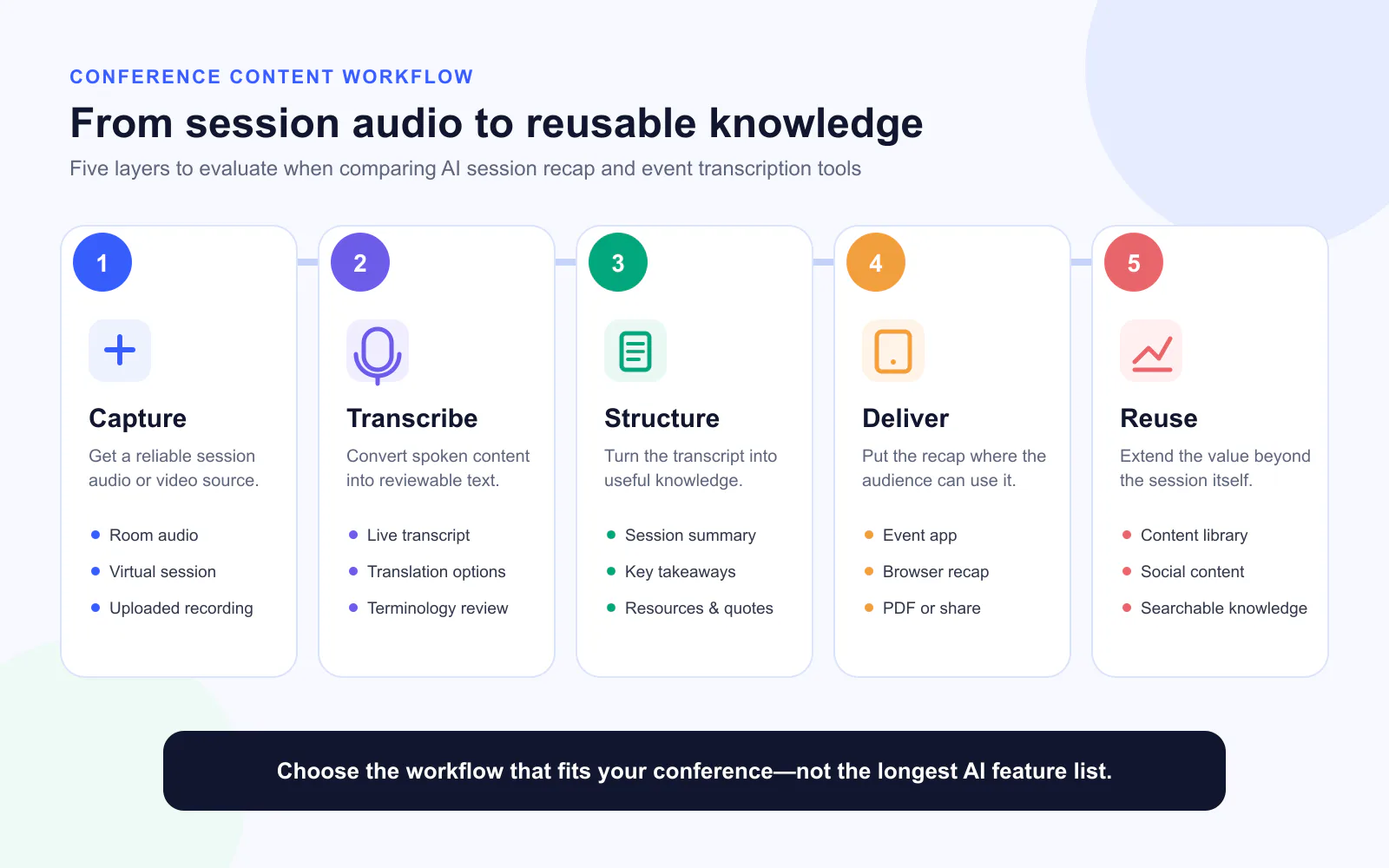
We reviewed each product against six practical questions:
- Capture: Does the workflow support live room audio, virtual sessions, streamed content, or uploaded recordings?
- Live value: Can attendees use transcription, translation, takeaways, or audio while the session is happening?
- Recap depth: Does the product stop at a transcript, or produce summaries, takeaways, resources, quotes, themes, or other structured outputs?
- Delivery: Do attendees receive the result in an event app, browser page, content hub, PDF, podcast, or shareable asset?
- Organizer control: Can teams manage access, review or edit content, configure outputs, and monitor processing?
- Operational fit: Is the product an event-platform feature, a standalone specialist, a self-service content tool, or a managed service?
1. EventHex InstaRecap: event-native live recaps and personalized attendee takeaways
EventHex InstaRecap is built into a wider event-management workflow. That matters because the recap can use existing session, speaker, event, and attendee context rather than treating each recording as an isolated file.
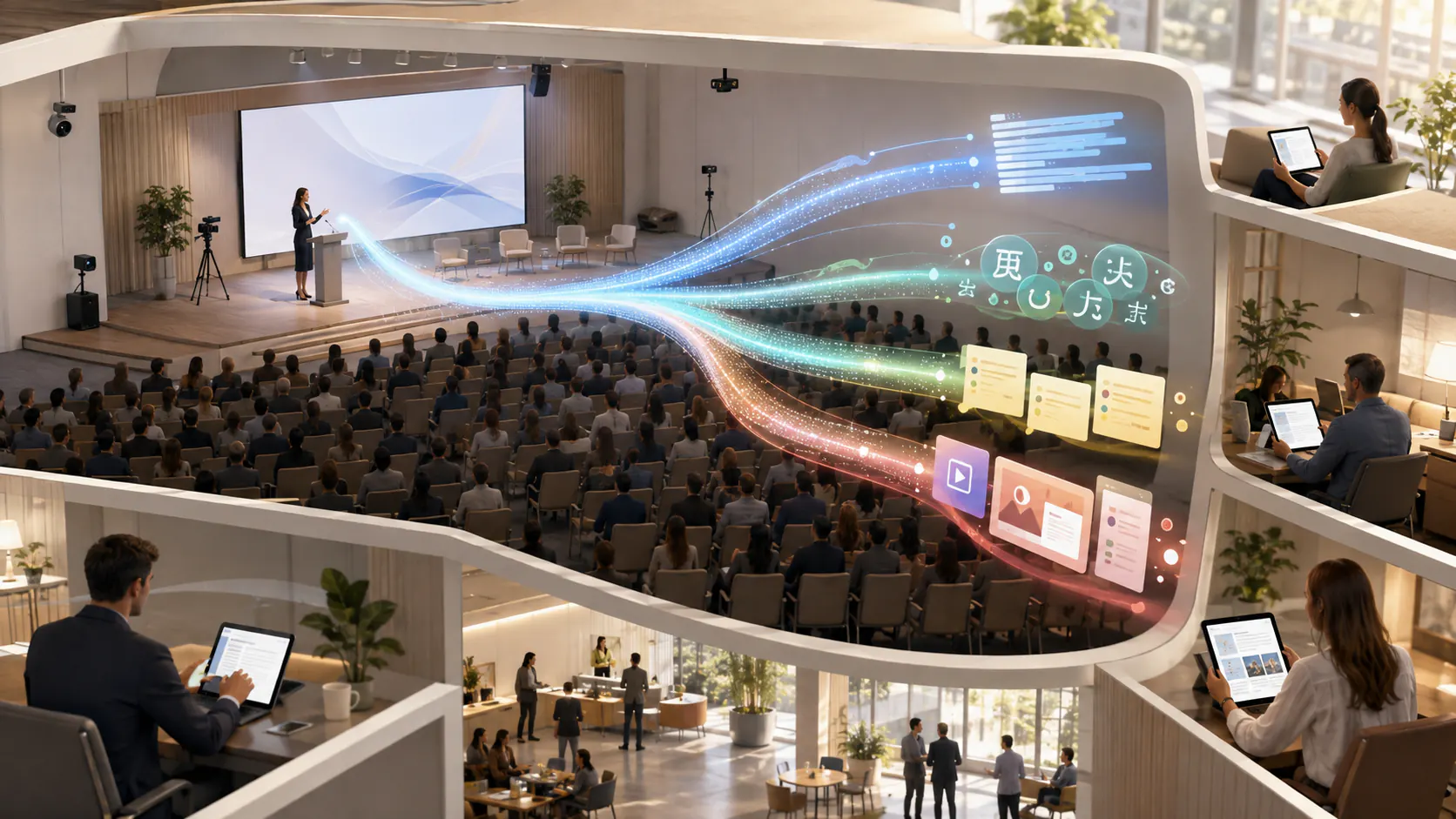
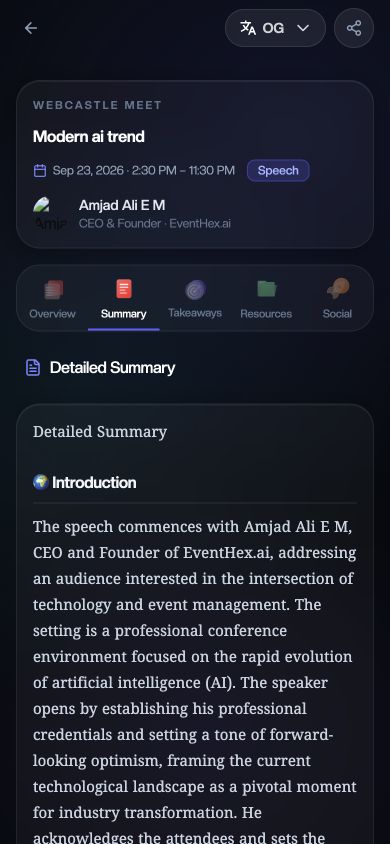
During a live session, attendees can follow the transcript and select an available translation from the web/PWA recap experience. The same session surface can present an overview, detailed summary, key takeaways, resources, and social content. EventHex can also personalize takeaways and LinkedIn or X content using attendee profile context, giving different attendees a more relevant way to carry session knowledge back to their work. This attendee-facing flow complements the wider event mobile app and EventHex AI platform.
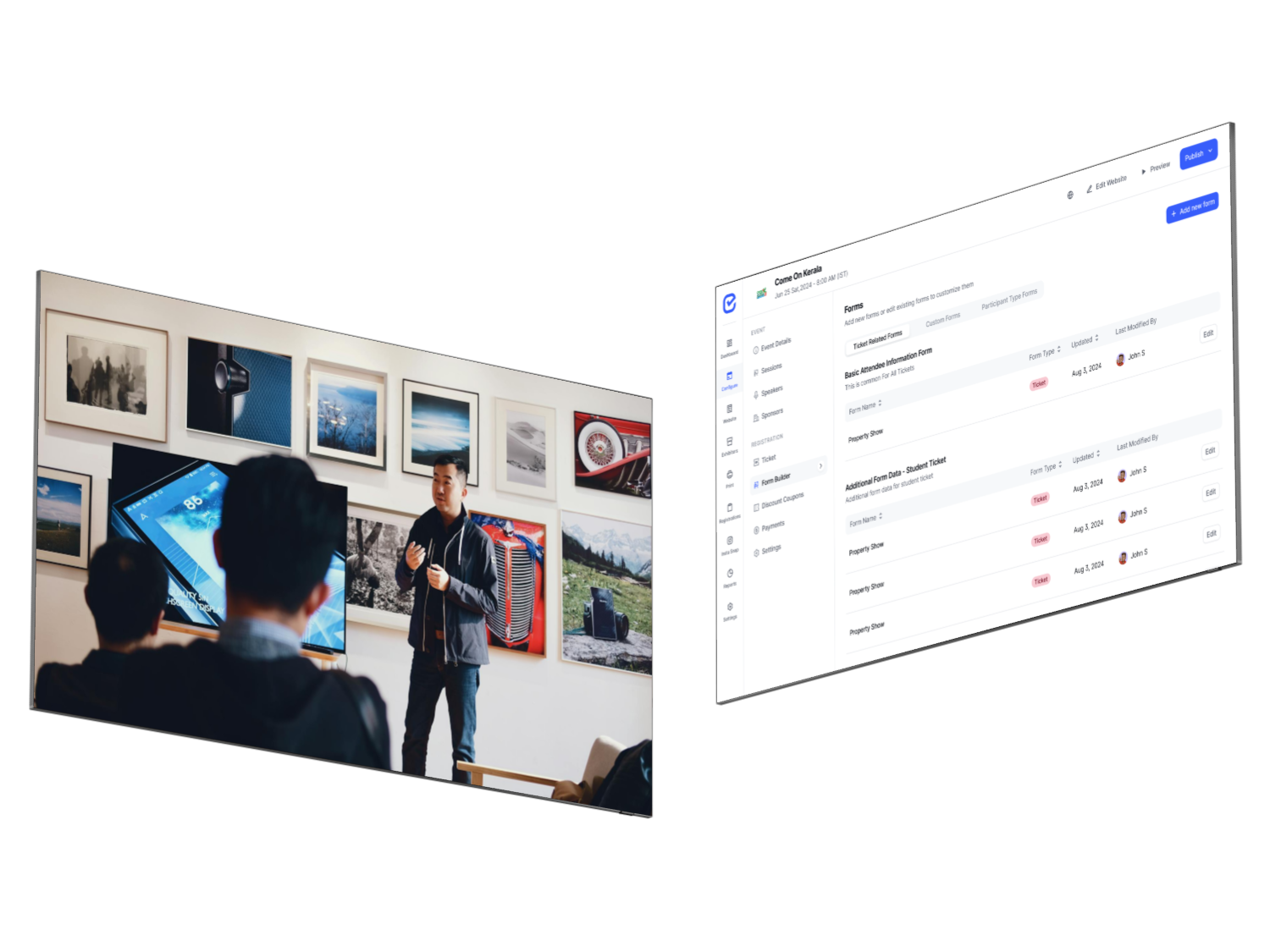
Takeaways can be copied or shared, converted into branded poster-style assets, or downloaded together as a PDF. On the organizer side, EventHex provides session transcript management, audio upload, available-caption import from YouTube, access controls, translation settings, AV-team workflows, and usage indicators such as sessions transcribed, hours processed, recap users, and generated social content.
Best for: conference teams that want live and post-session content inside the same platform as their agenda, speakers, attendees, event app, and event operations.
Check before rollout: test the exact room-audio or virtual-session setup, required languages, attendee access rules, and poster/PDF output with a real session. Do not infer a guaranteed accuracy percentage or processing SLA without a scoped test.
2. Cvent Session Snapshots: attendee-controlled moments inside Attendee Hub
Cvent Session Snapshots takes a distinctive attendee-led approach. During an eligible in-person session, an attendee taps “Take snapshot” in the Attendee Hub Event App. Cvent then captures an 80-second transcript excerpt around that moment, creates an AI title and brief summary, and can include an image of the slide visible at that point when the visual feed is enabled.
The saved moments remain available in My Snapshots for review, copying, and sharing. Cvent also surfaces Session Takeaways that summarize the whole session, including sessions an attendee did not personally snapshot.
This is particularly useful when the goal is to help attendees stay present while preserving the moments they choose. It is not the same as automatically producing a complete content library for the organizer. Cvent’s February 2026 release notes also state that Session Snapshots are purpose-built for in-person sessions and are not included in the virtual Attendee Hub experience.
Best for: eligible Cvent Attendee Hub customers that want an in-app, attendee-controlled note-capture experience.
Check before rollout: confirm event and plan eligibility, the Live Display audio/visual setup, per-session configuration, and how full-session takeaways differ from attendee-created snapshots.
3. Snapsight: specialist live transcription, translation, insights, and audio
Snapsight Live is one of the closest specialist comparisons for real-time conference intelligence. Attendees access the experience through a QR code or link and can receive live transcription, translated content, key takeaways, idea clouds, and synthesized audio without installing an app.
Snapsight also describes cross-session patterns that connect themes across a program. For virtual and hybrid events, the vendor says its agent can join platforms such as Zoom, Microsoft Teams, and Webex. Its public product page emphasizes custom vocabulary and domain-specific models, which may be important for technical, medical, financial, or engineering conferences.
Best for: organizers who need a dedicated live layer across multiple rooms, languages, and event formats, particularly when browser-based attendee access is preferred.
Check before rollout: validate the claimed language coverage, latency, terminology accuracy, connectivity fallback, data handling, and the operating model for every room. Vendor-published performance figures should be tested against your audio and vocabulary.
4. Swapcard AI Session Summaries: editable recaps beside on-demand sessions
Swapcard’s AI-Generated Session Summaries turn a session video transcript into a concise summary after the session concludes. Organizers can edit, rewrite, or expand the AI draft before or after it becomes visible on the session page in the attendee app.
The editorial control is the most important part of the workflow. A content owner can correct nuance, align the summary with the event’s voice, or add an approved call to action rather than treating the first AI output as final. Swapcard documents support for session types including RTMP and Backstage broadcasts, roundtables, and video files.
Best for: existing Swapcard customers that want digestible, reviewable summaries to help attendees decide which on-demand sessions to watch.
Check before rollout: confirm which session types generate usable transcripts, who owns editorial review, how quickly summaries appear, and whether your team needs live attendee transcription in addition to post-session summaries.
5. Wordly AI Summaries: translation-first event access with post-event knowledge sharing
Wordly approaches session recaps from a multilingual communication foundation. Its platform combines live translation and captions with text and voice transcripts, subtitles, AI dubbing, and transcript-based summaries.
Administrators can create a summary for a meeting or session that used Wordly and control access to the summary and transcript. The vendor says summaries are generated in the original presenter’s language. This makes Wordly particularly relevant when the first requirement is language access during the event and the second is preserving the discussion afterward.
Best for: conferences, public meetings, training programs, and international events where live captions, translation, and accessibility are the primary buying criteria.
Check before rollout: verify language pairs, custom glossary behavior, caption display methods, transcript and summary access, and whether attendee-facing takeaways or social assets require another system.
6. PHONT Live: real-time language access that feeds content and analytics
PHONT Live describes itself as an AI notetaker for live events. Its public product page combines live speech-to-text, custom vocabulary, text and audio translation, social content, speaker analytics, handouts, and business insights.
The downstream output is broader than a conventional captioning tool. PHONT says it can generate LinkedIn posts, tweet threads, highlight clips, PDF summaries, transcripts, sponsor mentions, and topic or sentiment insights from the live signal.
Best for: live events seeking a customizable transcription and translation layer that can also produce content and speaker or sponsor intelligence.
Check before rollout: the public page presents a broad capability set, so request a demonstration of the exact analytics, content-review workflow, integrations, export formats, and event scale you need.
7. Conference AI: post-event content automation across multiple events
Conference AI is positioned primarily as an event-content platform rather than a live captioning utility. Teams can import recordings or connect an AV workflow, then generate transcripts, summaries, highlights, speaker quotes, video clips, reports, and other content from sessions.
A key differentiator is the cross-event content library. Conference AI says every session, speaker, and insight can remain searchable and reusable across an organization’s events. It also supports personalized attendee recaps, highlight reels, and recommended content delivered through an existing event app or its own platform.
Best for: conference producers, associations, and content teams that want to turn a large archive of session recordings into reusable attendee, sponsor, marketing, and knowledge assets.
Check before rollout: clarify how recordings enter the platform, which outputs are automatic versus prompted, how content is reviewed, which event platforms are integrated, and whether you require live attendee value or primarily post-event production.
8. RecapHub: recap pages, AI chat, podcasts, and cross-session intelligence
RecapHub starts with uploaded event audio or video and turns it into a broader recap and intelligence experience. Its documented outputs include session summaries, key quotes with speaker attribution, takeaways, sentiment, topic tags, video chapters, social content, branded share pages, an AI attendee chat, and a generated podcast.
At the event level, RecapHub also promotes theme discovery, debate mapping, trend detection, and tailored insights across sessions. This makes it relevant when the organizer wants to preserve not only individual session summaries but also the connections across a multi-track program.
Best for: teams building an attendee knowledge hub, post-event media experience, or event-level insight layer from completed recordings.
Check before rollout: evaluate speaker attribution, source grounding for AI chat, review controls, hosting and access, podcast quality, and how the recap experience connects to your existing event app or website.
9. Voxo: self-service session summaries or a managed content operation
Voxo offers two operating models. Voxo Studio lets a team upload or stream audio, apply templates, and generate branded session summaries. Its broader product set includes reports, podcasts, a content hub, integrations, and LinkedIn sharing.
For larger events, Voxo’s Managed & Enterprise offering adds project management, AV coordination, human quality assurance, branding, live monitoring, and multi-track support. That service component can be important for organizers who do not want internal staff to operate every capture and review step.
Best for: event-content teams that want a choice between self-service software and a managed production workflow for complex conferences.
Check before rollout: compare the self-service and managed scopes carefully, including credits, review workflow, live processing, content ownership, integrations, and how summaries are delivered to attendees.
Which AI session recap tool is best for your use case?
| If your priority is… | Start by evaluating… | Why |
|---|---|---|
| Recaps inside the same event platform as agenda and attendees | EventHex, Cvent, Swapcard | These options connect recap output to a wider event-management or attendee-app workflow |
| Live multilingual transcription and attendee access | Snapsight, Wordly, PHONT, EventHex | Each provides a live attendee-facing language or transcript experience, with different downstream outputs |
| Attendee-personalized takeaways and social content | EventHex, Conference AI | Both describe attendee-context or persona-based recap delivery rather than one identical summary for everyone |
| Post-event content repurposing | Conference AI, RecapHub, Voxo | These platforms emphasize reusable content libraries, reports, podcasts, clips, or broader post-event assets |
| Attendee-controlled moment capture | Cvent Session Snapshots | The attendee chooses the exact moment to preserve during an in-person session |
| Editorial review before attendee publication | Swapcard, Voxo, Conference AI | Their documented workflows emphasize editing, review, templates, or content-team production |
| A managed multi-room content operation | Voxo, Snapsight, Conference AI | These vendors describe AV integration, managed delivery, or specialist coverage for larger programs |
This is a shortlist, not a substitute for a pilot. Products overlap, and the best choice may be the tool that fits your existing event stack, room-audio plan, attendee journey, and review capacity rather than the one with the longest feature list.
AI session recap software vs. a generic meeting notetaker
A meeting notetaker can be useful for a webinar or a single virtual session. It becomes less complete when a conference has multiple stages, hundreds of sessions, speaker and agenda metadata, attendee permissions, live translations, mobile delivery, sponsor rules, and an editorial team.
Before using a generic meeting assistant as your conference recap system, ask whether it can:
- map every transcript to the correct event, session, stage, and speaker;
- capture several rooms or simultaneous sessions;
- serve attendees without exposing an internal meeting workspace;
- respect session-level access rules and confidential content;
- handle event terminology and speaker names;
- provide live captions or translation where required;
- produce approved attendee and marketing outputs at scale;
- show organizers which sessions were processed and which failed.
If most answers are no, the meeting tool may still help the internal team, but it is not a complete attendee recap workflow.
What to test before choosing a platform
1. Use your hardest real session
Do not evaluate with a clean two-person recording alone. Test a panel with overlapping speakers, venue noise, accents, acronyms, brand names, and specialist terminology. If multilingual delivery matters, test the exact source and target languages and use an explicit live event translation and accessibility checklist.
2. Follow the complete capture path
Confirm how the platform receives audio from the room mixer, virtual platform, stream, or uploaded file. Define who starts and stops capture, how sessions are mapped, what happens if connectivity drops, and how the team knows a session was processed correctly.
3. Review every attendee-facing output
A grammatically smooth summary can still miss nuance or attribute a quote to the wrong speaker. Review the transcript, summary, takeaways, translations, links, resources, and social copy before treating the workflow as production-ready.
4. Test access and consent
Determine whether the recap is public, attendee-only, organizer-only, or limited to selected sessions. Document speaker consent, recording notices, retention, deletion, AI-provider terms, and the handling of questions or attendee profile data.
5. Compare operating effort, not only generation speed
Include AV setup, room hardware, staff training, content review, correction, branding, publishing, and attendee support in the evaluation. A fast model does not create a fast conference workflow if every output still needs to be moved and reformatted manually.
Frequently asked questions
What is the difference between event transcription and an AI session recap?
Event transcription converts spoken audio into text. An AI session recap uses that transcript to create a shorter, structured output such as a summary, key takeaways, resources, quotes, or attendee-facing content. Transcription is the capture layer; the recap is the usable result.
Can AI summarize a conference session while it is live?
Yes, some event-focused platforms can generate live transcripts, translations, overviews, or evolving takeaways during a session. Others wait until the recording or transcript is complete. Ask the vendor which outputs are truly live, which are provisional, and which are finalized after the session.
Do attendees need to download an app?
It depends on the platform. Some products use an existing event app, while others provide browser access through a QR code or link. Evaluate login requirements, mobile usability, accessibility, and whether the experience works inside your current event journey.
Should organizers publish AI-generated summaries without review?
For low-risk internal notes, a lighter review may be acceptable. Public recaps, technical sessions, regulated topics, named quotes, sponsor references, and translated content should have an explicit review path. The organizer remains responsible for what is published.
What is the best AI session recap software for a multi-track conference?
Start with products designed for event-scale session mapping, room or AV workflows, attendee delivery, and organizer monitoring. EventHex, Snapsight, Conference AI, RecapHub, and Voxo each address different parts of that problem. Cvent and Swapcard may be natural candidates when the conference already uses their attendee platforms.
Does EventHex InstaRecap support both live and recorded sessions?
EventHex supports live recap workflows as well as processing from uploaded audio and available YouTube captions. Because event venues and virtual setups vary, confirm the exact capture route, language configuration, access rules, and output requirements during implementation.
Choose the workflow, not the longest feature list
The best event transcription or session recap platform is the one that turns conference content into the right result for the right audience. A translation-led event may prioritize live captions and audio. A content business may need cross-event search, clips, podcasts, and reports. An attendee-experience team may care most about summaries, personalized takeaways, and mobile access before people leave the venue.
EventHex InstaRecap connects live and recorded session content with the event agenda, attendee experience, multilingual access, AI summaries, personalized takeaways, resources, social content, posters, and PDF outputs. That makes it a strong option for organizers who want recap content to remain part of the event workflow rather than becoming a separate post-production project.