Short answer: AI for virtual events can help organizers prepare session material, transcribe speech, translate content, create summaries, personalize takeaways, draft follow-up content, and review feedback. The useful starting point is a specific attendee or organizer problem, not a promise to put the whole conference on autopilot.
A virtual conference does not end when the meeting room closes. Someone still has to check the transcript, help attendees find the sessions they missed, prepare follow-up material, and work out what to improve next time. Before the event, there are speaker briefs, joining instructions, and programme descriptions to prepare. AI can assist with these tasks, provided it has reliable source material and a person responsible for checking the result.
This guide covers seven practical uses of AI in virtual events, with examples for corporate conferences, association programmes, and online learning sessions. EventHex is the publisher and one of the product examples. Some workflows below use an event platform; others use a separate, organization-approved AI assistant. They are not all automatic features of one product.
Where AI fits in a virtual event
Think of the workflow in three parts. Your conferencing platform carries the conversation. Your event platform manages the event context, such as registration, session information, and attendee access. AI processes approved content to create something useful, such as a transcript, summary, or draft.
A meeting bot may capture the session for an AI workflow, but joining a meeting is not itself an AI capability. Scheduled reminders, virtual check-in, and RTMP streaming are also automation or delivery infrastructure. They matter, but they should not be counted as artificial intelligence simply because they sit beside a summary button.
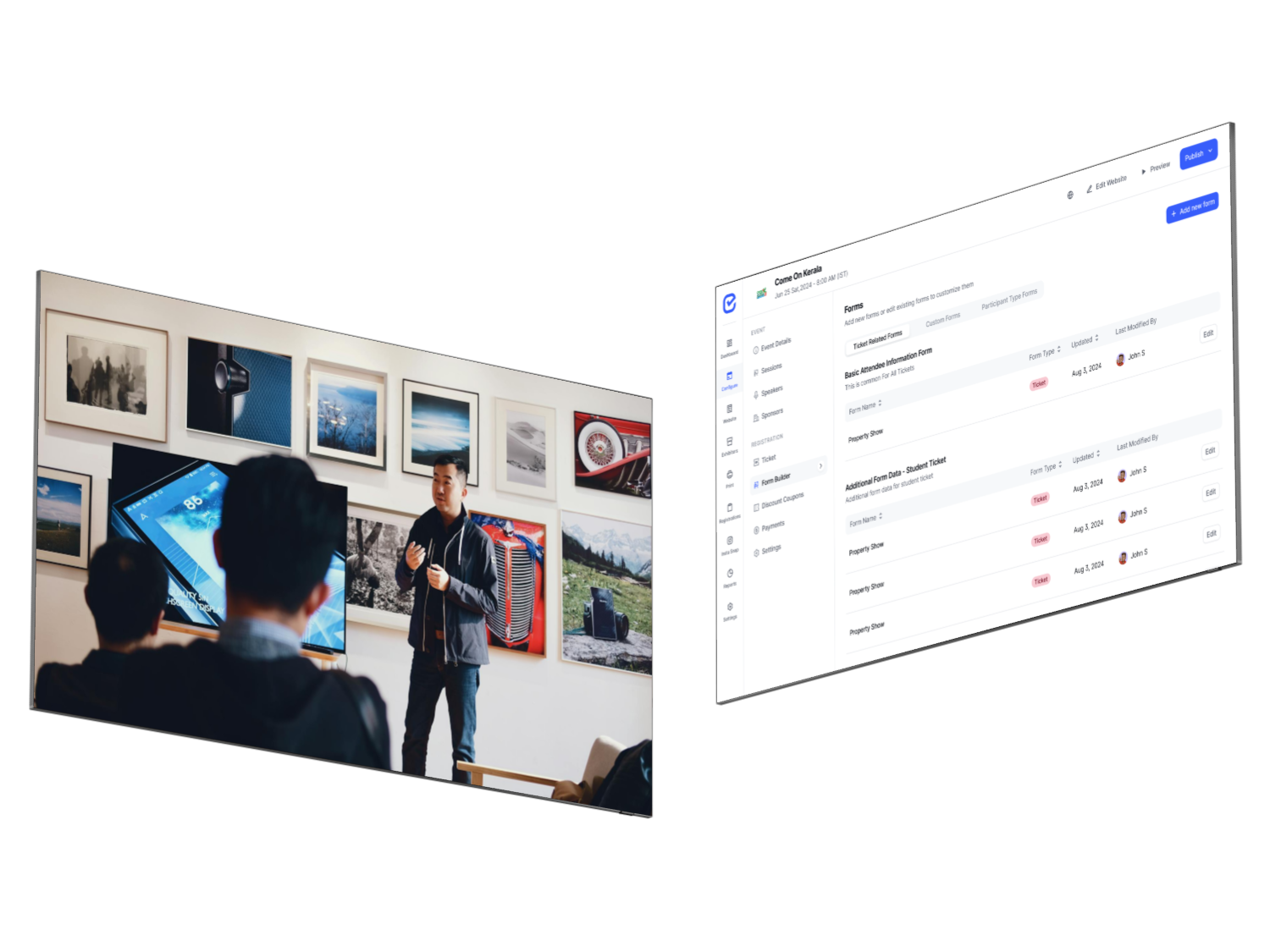
The EventHex virtual and hybrid event workflow coordinates meeting links, bot controls, optional streaming, virtual check-in, and available session outputs. Recording, transcription, and other capabilities depend on the configured provider and event setup. Keep those dependencies in your planning checklist.
Seven practical AI use cases at a glance
| Use case | Source material | Useful output | Human check |
|---|---|---|---|
| 1. Prepare session material | Approved agenda and speaker brief | Descriptions, moderator prompts, joining instructions | Dates, promises, names, and links |
| 2. Transcribe sessions | Authorized meeting audio | Readable session transcript | Speaker names, terminology, and numbers |
| 3. Translate content | Supported audio or reviewed transcript | Translated text or supported live output | Language coverage and meaning |
| 4. Summarize sessions | Transcript and session context | Overview and key takeaways | Nuance, attribution, and missing caveats |
| 5. Personalize takeaways | Session content and volunteered role context | Role-relevant learning points | Relevance without invented advice |
| 6. Repurpose content | Reviewed session material | Social drafts and follow-up copy | Permissions, quotes, and editorial quality |
| 7. Review feedback | De-identified comments and verified metrics | Themes and a draft debrief | Counts, bias, and unsupported conclusions |
1. Prepare clearer session material before the event
Use an approved AI writing assistant to turn a confirmed speaker brief into a first draft of a session description, moderator introduction, or attendee reminder. This is especially useful when several people have supplied information in different formats and the organizer needs a consistent starting point.
Give the assistant the actual session title, learning objectives, audience, date, timezone, duration, and approved speaker biography. Ask it to leave gaps where information is missing. Do not let it infer qualifications, invent a sponsor relationship, or promise that the session will cover a topic the speaker has not agreed to discuss.
Using only the approved brief below, draft a 100-word session description and three moderator questions. Preserve the title and speaker name exactly. List missing information separately. Do not add claims, credentials, dates, or promises.
The event team should verify every time and joining link before sending. AI can improve wording; the event record remains the authority. This is a general assistant workflow, not a claim that EventHex automatically writes and distributes every speaker brief.
2. Turn virtual session audio into a transcript
Speech recognition gives the organizer a text version of the session to review and reuse. A transcript can help an attendee revisit a particular explanation and give the editorial team a source for later summaries. It is also useful when a speaker wants to check how a technical point was captured.
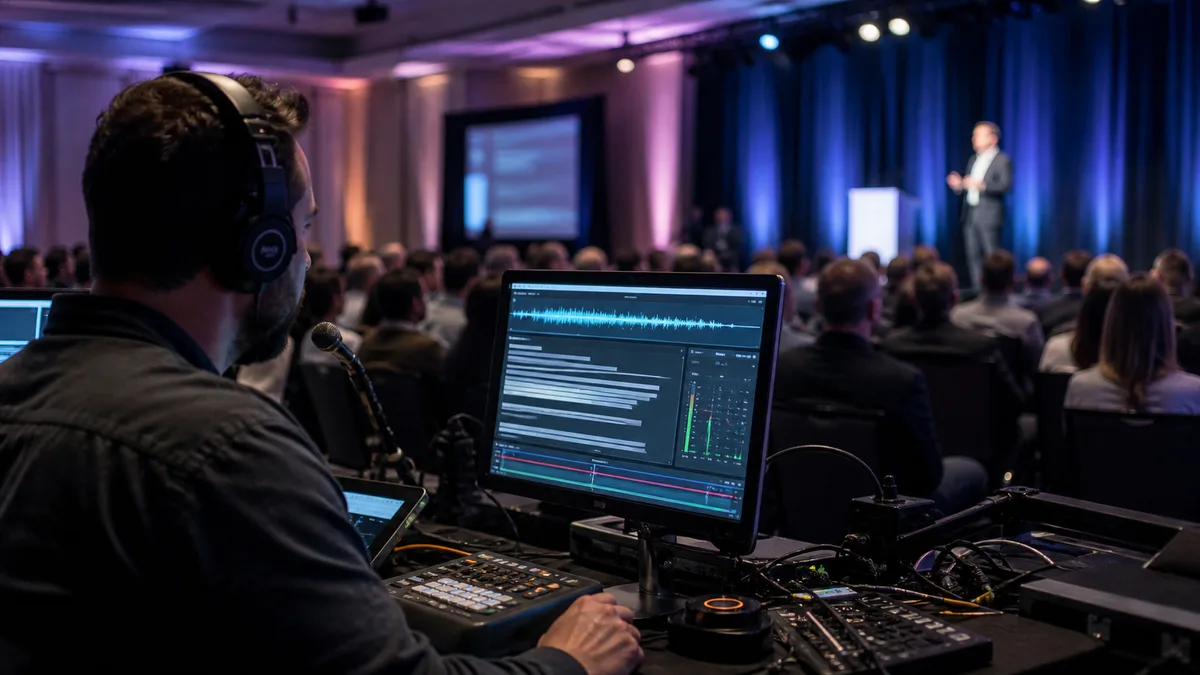
For a virtual session, capture might come from a supported meeting bot, the conferencing platform, or an authorized recording. Test the complete path: meeting permissions, bot admission, audio capture, processing, and the place where the transcript appears. A bot being scheduled does not prove that a usable transcript was produced.
In EventHex, the virtual meeting module has recording and transcript workflows, with provider capability checks. Do not assume that every provider offers the same outputs. Use a rehearsal to confirm the specific combination your event will use.
Ask speakers for a short glossary of names, acronyms, product terms, and unusual pronunciations. Review numbers and attribution carefully. A clean-looking transcript can still contain an error that changes the meaning of a statement.
3. Make session content available in supported languages
AI translation can help participants work with content in a language they understand more comfortably. But live translated captions, translated transcripts, translated summaries, and interpreted audio are different outputs. Decide which one your audience needs before choosing a tool.
A translated summary delivered after a session does not solve a participant’s need to follow that session live. Similarly, having a language selector in an interface does not establish that every spoken language pair is supported throughout the workflow.
EventHex’s recap workflow includes language-aware content paths. Confirm the available output, language pair, and provider configuration for your event, then test representative audio with a fluent reviewer. Keep names and specialist terminology consistent across the original and translated versions.
For sensitive or specialist material, arrange the appropriate human review rather than treating automated translation as authoritative. Our guide to live event translation explores this topic separately; this article focuses on where translation belongs in the virtual-event workflow.
4. Give attendees a useful session summary, not just a recording
A recording preserves the session, but finding one useful point may require more time than an attendee has. AI can create a short overview and a structured list of key takeaways from the transcript. This gives people a way to decide what to revisit before opening the full recording.
Build the recap around the actual session title, speaker context, and source content. A useful summary should distinguish what the speaker explained, what they recommended, and what remained unresolved. It should not turn a tentative observation into a proven result.
EventHex InstaRecap provides session overview and takeaway workflows, and the virtual meeting module can retrieve recap outputs for its associated session. The output still depends on usable source content and successful processing.
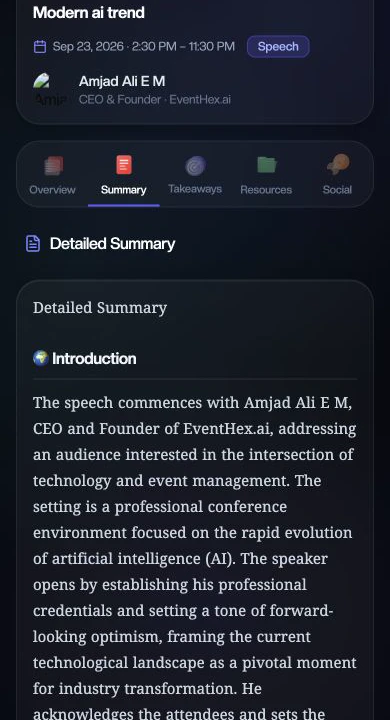
Give the recap a clear route back to the session. If attendees need to sign in, explain that in the follow-up message and test the link as an attendee, not only as an administrator. A good summary is of little use when its intended reader cannot open it.
5. Help attendees find takeaways relevant to their role
The same panel can mean different things to a marketing director, a product manager, and an association programme lead. AI can reorganize the session’s takeaways around a role or learning goal that the attendee has chosen to provide.
For example, a product manager attending a session about customer research may want the points about interview design. A marketing colleague may care more about how the findings affect messaging. These are different views of the same source, not permission to invent recommendations that the speaker never made.
EventHex’s InstaRecap implementation includes profile-informed takeaway generation using session content and supplied role context. The practical test is whether the result points the reader toward relevant learning while remaining faithful to the session.
Keep personalization optional and proportionate. Avoid asking for sensitive information just to tailor a recap. Make it clear that an AI-generated takeaway is an interpretation to review, not a personalized professional recommendation or a direct quote from the speaker.
6. Draft post-event content from reviewed session material
A reviewed session can become the starting point for a LinkedIn draft, an attendee follow-up email, a short article outline, or a speaker-approved takeaway card. AI can help adapt the format without asking the team to start with a blank page.
EventHex’s recap workflow includes social-content outputs. Broader editorial formats may require a separate approved assistant or a writer. Generating a draft does not mean that it has been approved or automatically published.
Keep the original session attached to the editorial task. If a sentence is presented as a quotation, verify it against the recording or a checked transcript. A summary is a paraphrase, even when it sounds like something the speaker might have said.
Draft one LinkedIn post from this reviewed session summary. Use only the supplied facts. Do not create quotes, numerical outcomes, endorsements, or customer examples. End with a question related to the session, and list any statement that needs speaker approval.
Check the permissions for each destination. Material appropriate for a registered attendee recap may not be appropriate for a public social post. The organizer or editor should own the final publishing decision.
7. Turn feedback into a more useful event debrief
After the event, an approved AI assistant can help group de-identified feedback into themes: joining difficulties, session relevance, audio problems, unanswered questions, or requests for future topics. Pair those themes with verified reporting, rather than asking the model to guess what the audience thought.
This is an organizer analysis workflow, not a claim that EventHex automatically produces a complete cross-event AI debrief. Export or prepare only the data you are permitted to use, remove unnecessary personal details, and check your organization’s rules before sending it to another service.
Ask the assistant to keep positive comments, negative comments, and uncertainty separate. Then inspect the underlying comments. One detailed complaint should not be presented as the opinion of the whole audience; several similar comments should not disappear inside an overly cheerful summary.
Use verified attendance counts alongside the qualitative findings. Registration, virtual check-in, meeting participation, and content engagement measure different things. AI should not turn one of those into another, or invent a causal link between a summary feature and improved attendance.
How to start with one virtual session
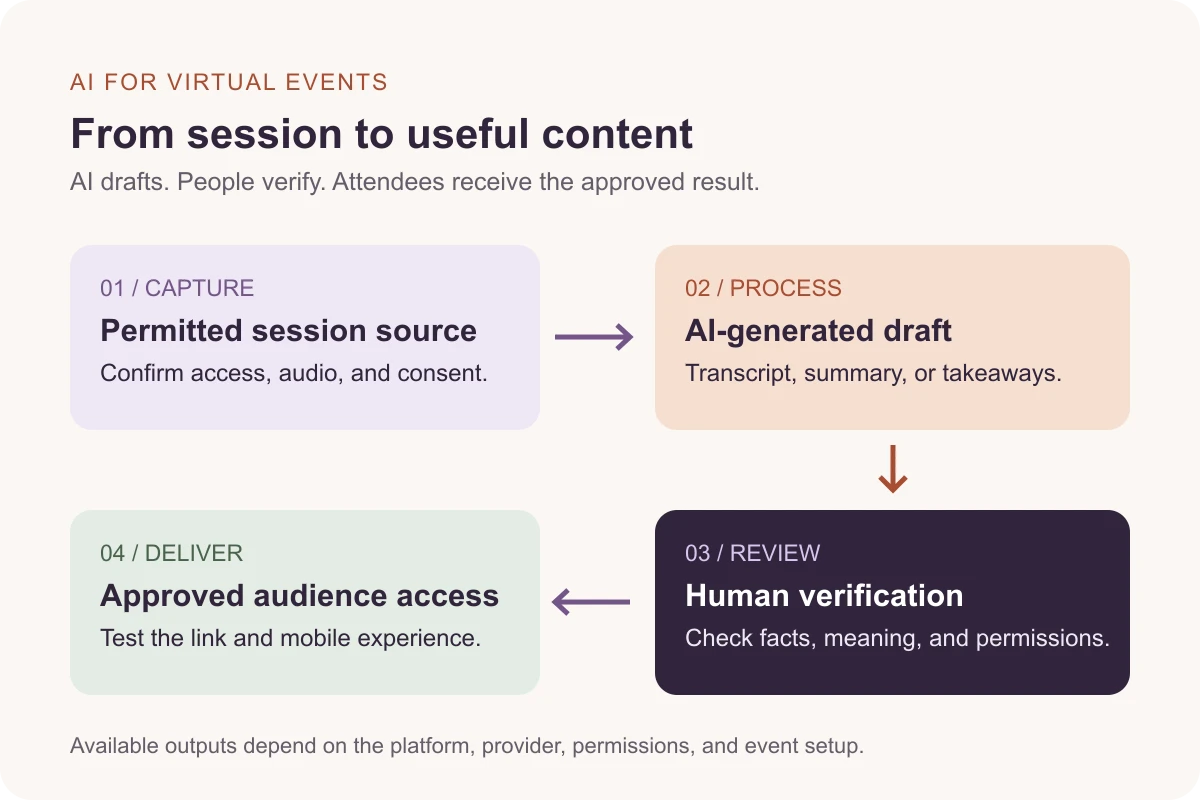
For a first rollout, choose one session and one useful output. A transcript plus a reviewed recap is a manageable starting point. Add translation, personalization, or additional content formats after the core capture and delivery path works.
- Define the reader and result. For example, registered attendees need a short recap they can open on mobile after the session.
- Confirm permissions. Agree on recording, processing, access, retention, and any public reuse with the relevant people.
- Rehearse the actual setup. Test the meeting platform, provider, audio, bot admission, and expected outputs together.
- Assign a reviewer. Check names, numbers, meaning, and attribution before distributing the recap.
- Test attendee delivery. Open the link using the intended access level and screen size.
- Measure the pilot. Record completion, corrections, delivery problems, and reader feedback. Use actual measurements before making time-saving or engagement claims.
Conference platforms already offer overlapping AI features. Zoom AI Companion can generate meeting summaries, while Microsoft Teams provides recap experiences. Review your existing tools before adding another service. The question is whether the full event workflow, including attendee delivery, works for your programme.
For a deeper category comparison, read AI meeting notes vs. AI session recap software. If you are evaluating vendors, use our session recap and event transcription tools guide.
Frequently asked questions
What is AI for virtual events?
It is the use of AI to assist with tasks around an online event, such as speech transcription, translation, summaries, personalized takeaways, draft content, and feedback analysis. It does not replace the conferencing, registration, production, or human review needed to run the event.
Do I need a meeting bot?
Not always. Some workflows use a meeting bot, while others use a conferencing platform’s native features or an authorized recording. Choose the capture method that your platform, permissions, and required outputs support.
Can AI summaries replace the full recording?
No. A summary is selective and can omit qualifications or contain errors. Keep access to the appropriate source material so a reviewer or authorized attendee can check context.
Does AI automatically make a virtual event accessible?
No. Transcription and translation may help, but accessibility also involves the interface, navigation, readable content, speaker practices, and the needs of individual attendees. Confirm those needs and test the relevant experience.
Can EventHex run the whole event without an organizer?
No. EventHex can coordinate supported virtual-event and recap workflows, but people still manage permissions, production, speakers, exceptions, content review, and audience support.
Build around the attendee outcome
The strongest use of AI for virtual events is not the longest feature list. It is a workflow that gives someone a useful, trustworthy result: a clearer brief, a readable transcript, a relevant takeaway, or a recap they can actually access.
Start with one session, verify the output, and expand from what works. To explore meeting controls, virtual access, and session recap in one event workflow, book an EventHex demo.