
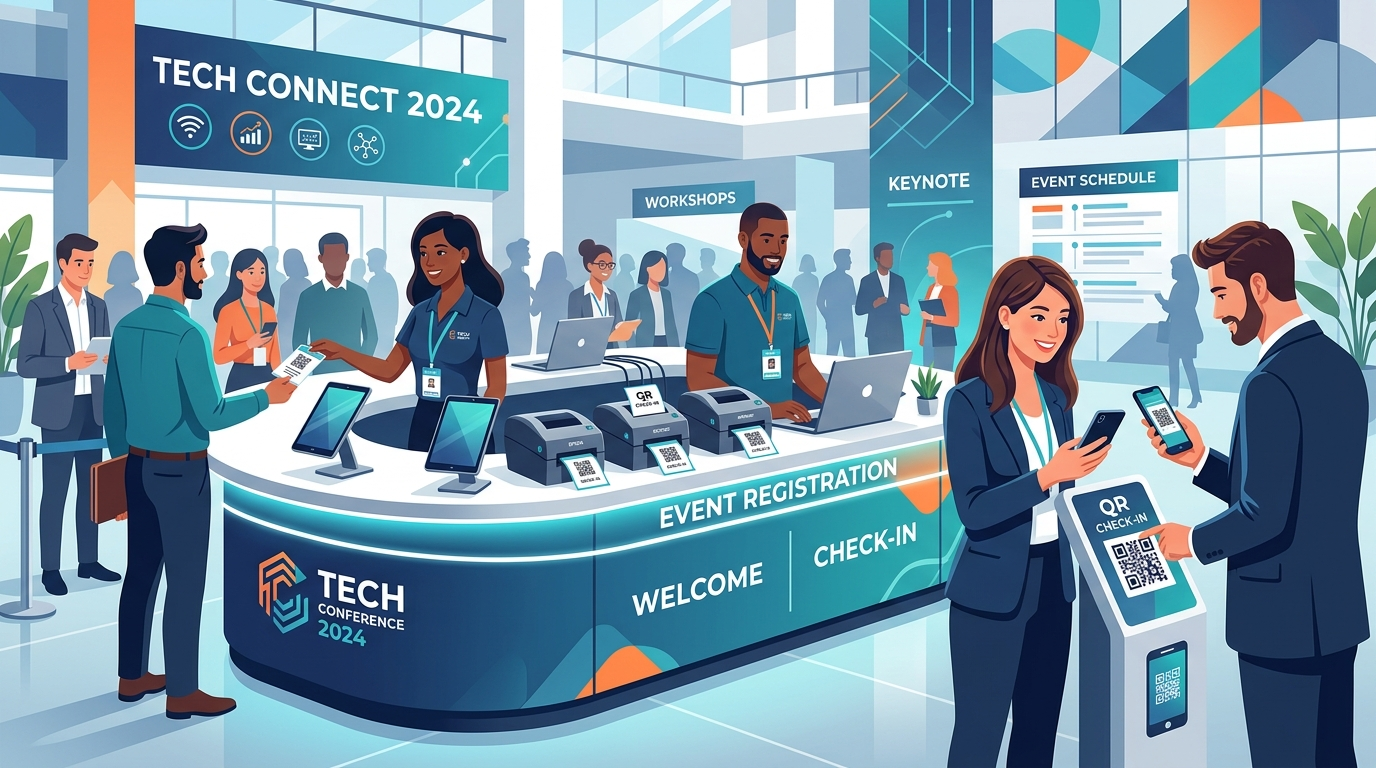
Picture this: It is the opening morning of your annual flagship conference. Months of meticulous planning, marketing campaigns, and sponsor outreach have culminated in this moment. The keynote speaker is running through their slides backstage, and the main hall is prepped. But as the clock ticks closer to 8:30 AM, you look toward the lobby and feel a cold knot tighten in your stomach. Instead of a smooth flow of excited professionals receiving their credentials, there is a stationary, sprawling queue of hundreds of frustrated attendees snaking out the main entrance. At the registration desk, check-in devices spin endlessly, displaying a loading icon or a generic network timeout error. The culprit? The venue’s local Wi-Fi network has collapsed under the sudden surge of hundreds of concurrent device connections.
This nightmare scenario is incredibly common in the event management industry. The root cause of most check-in bottlenecks is not a lack of staff or bad layout design; it is a fundamental reliance on real-time, cloud-dependent event software running over unstable, congested, or non-existent venue network architectures. When internet dependency controls your entrance, any drop in connectivity completely halts your check-in speed. Let us explore why venue Wi-Fi fails event organizers, how this impacts the attendee experience, and how adopting robust, modern systems featuring local offline-first synchronization and rapid on-site event badge printing changes the game.

The Hidden Truth: Why Venue Wi-Fi Almost Always Fails
To understand why registration desks experience sudden network blackouts, one must look at how venue Wi-Fi operates. Hotel ballrooms, convention centers, and exhibition halls are notoriously hostile radio frequency (RF) environments. They are massive concrete-and-steel structures designed to absorb and bounce signals. More importantly, they are subject to extreme fluctuations in user density.
A network setup that works perfectly during a site visit with five venue coordinators will behave very differently when 1,500 attendees walk into the lobby, each carrying a smartphone, a smartwatch, and possibly a laptop or tablet. As these hundreds of consumer devices search for connections, they saturate the local routers, exhaust IP addresses, and generate heavy wireless interference. The local router’s dynamic host configuration protocol (DHCP) server gets overwhelmed, and latency skyrockets. This congestion means your check-in laptops and iPads lose stable contact with your registration platform’s cloud server. In a cloud-dependent check-in environment, this immediately shuts down your ability to look up guest records, verify ticketing status, or send print jobs to your hardware.
The Cascade Effect: High Latency and Packet Loss
Even if the Wi-Fi connection does not drop entirely, high latency and packet loss can be just as destructive to your flow rate. A typical cloud check-in app works by sending an API request to a cloud database every time a name is typed into a search bar. Over a congested venue network, a search query that usually takes 200 milliseconds can take up to 10 or 15 seconds to return a result. Multiply this delay by hundreds of arrivals, and your average processing time per person jumps from a comfortable 15 seconds to over a minute. This delay instantly triggers a backup, turning your front lobby into an aggressive bottleneck.
The High Costs of Dedicated Venue Bandwidth
To bypass shared guest networks, many event planners ask the venue for a dedicated, hardwired internet line or a private SSID. However, venue operators charge massive premiums for these services. It is not uncommon for convention centers to quote thousands of dollars for a single dedicated ethernet drop or a small block of reserved IP addresses. For small to mid-sized event budgets, these network fees are highly restrictive, forcing organizers to risk running check-in on the free, unstable public Wi-Fi or relying on weak cellular hot spots that struggle behind thick venue walls.
The True Cost of a Disastrous Check-In Experience
The registration counter is the very first touchpoint an attendee has with your brand. It sets the tone for the entire event. A long, chaotic queue creates lasting negative impressions that are incredibly difficult to reverse, regardless of how impressive your sessions or food options are later in the day.
- Damaged Brand Reputation: Attendees and sponsors pay high prices to participate in professional conferences. Forcing them to wait in a slow, disorganized line in a hot lobby immediately damages your credibility and makes your organization look unprofessional.
- Missed Networking and Sessions: When check-in lines back up, attendees miss early morning networking sessions, breakfast meetups, or even the opening keynote address. This reduces the overall value they get from your event.
- Frustrated Sponsors and Exhibitors: Exhibitors pay to get in front of active attendees. If a large portion of your audience is stuck outside in check-in queues during the initial exhibition hours, your sponsors miss crucial foot traffic and lead generation opportunities.
- Social Media Backlash: Modern attendees do not suffer in silence. Frustrated guests will share photos of your long registration queues on LinkedIn and X, generating negative publicity that can impact future ticket sales.
Practical Industry-Standard Solutions (And Why They Fail)
Experienced event coordinators have developed several manual workarounds to mitigate the risks of network outages. However, these traditional fallback methods introduce their own operational headaches and compromise data integrity.
1. The Printed Guest List (The Analog Backup)
The most common backup for a network failure is to pull out printed PDF spreadsheets of the attendee database. Staff must manually cross-reference arrivals against thousands of alphabetical rows, marking names off with a highlighter. While this keeps the line moving slowly, it has major drawbacks:
- Extreme Search Times: Flipping through dozens of printed pages to find a specific spelling or last-minute sign-up is incredibly slow, keeping transaction times high.
- Zero Badges: If you are printing badges on demand, a network crash prevents the printing hardware from receiving data. Attendees must be given handwritten stick-on badges, which look cheap and ruin the professional aesthetic of your event.
- Data Fragmentation: Manually checking off guests means you have zero real-time visibility into attendance metrics. You cannot track peak arrival times, verify which ticket types have arrived, or sync check-in data back to your main marketing dashboard without manual post-event entry.
2. Local Router Setups and Mobile Hotspots
Some planners bring their own local Wi-Fi routers or cellular hotspots (cradles, pucks, or 5G dongles) to establish a private network for the registration desk. While this isolates your devices from the public guest Wi-Fi, it does not solve the underlying issue. The hotspot must still establish a cellular connection to the outside world. If your registration desks are located deep inside a concrete hotel basement or in a rural convention space, cellular signals will be weak or non-existent, leaving your check-in software disconnected.
The Elegant Fix: Offline-First Check-In and On-Site Event Badge Printing
To eliminate the risk of venue network failures, you must remove the registration desk’s dependency on a live, continuous internet connection. The modern solution is to adopt an offline-first check-in framework paired with rapid, direct local on-site event badge printing.
An offline-first platform downloads your complete attendee database directly to the local storage of your check-in devices (such as iPads or laptops) before the doors open. When an attendee arrives, the check-in app queries the device’s local database. Because the lookup occurs locally, it is instantaneous—requiring zero network latency. If the venue’s Wi-Fi drops, the app continues to check in guests, scan QR codes, and trigger prints without missing a single beat. Once connectivity is restored, the devices quietly sync their local databases back to the cloud, ensuring your central dashboard is completely up to date.
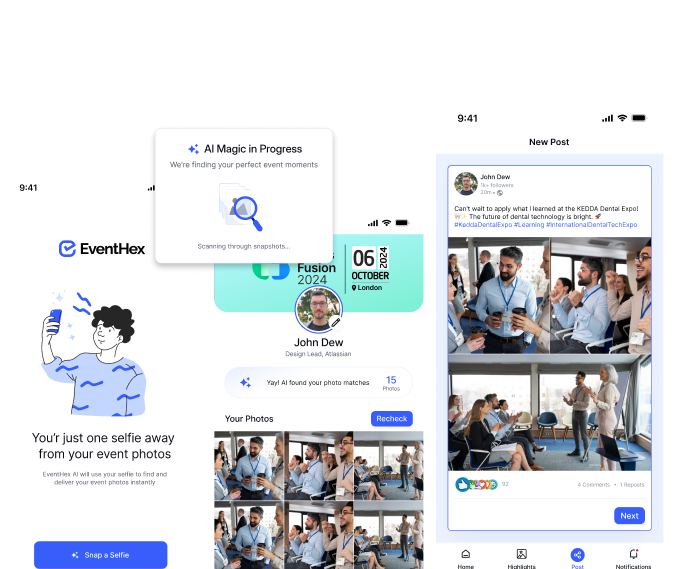
Meet EventHex: The Ultimate Offline-First Badge and Check-In Solution
If you want to protect your next major conference from the unpredictability of venue network issues, EventHex offers the most reliable, modern solution in the industry. The EventHex Badge & Certificate Designer is a powerful, integrated tool designed to handle high-volume event check-ins without bottlenecks.
Visual Drag-and-Drop Badge Designer
Forget complex, outdated graphic design tools. EventHex features an intuitive visual drag-and-drop designer that allows you to create beautiful, professional badges in minutes. You can start from over 100 professional badge templates, customize them with your exact brand assets, add sponsor logos, and define dynamic data fields (such as attendee name, company, role, or custom category colors). The platform also automatically generates high-resolution, unique QR codes for each guest, which are placed directly on the badge layout for fast scan-to-print check-in.
Lightning-Fast On-Site Printing in Under 5 Seconds
EventHex is built for speed. When attendees arrive, they simply present the QR code received in their confirmation email to a check-in scanner or a self-service kiosk. The scan immediately triggers the local printer, producing a fully customized, professional badge in under 5 seconds. This rapid turnaround time eliminates lobby lines entirely, allowing you to process thousands of attendees with ease.
Direct Local Printing and Universal Hardware Compatibility
The EventHex check-in software connects directly to your printers over a local area network (LAN) setup. Because the print command is sent directly from the local device to the printer via local IP routing, it does not need to travel up to a cloud server and back. This design bypasses venue internet bottlenecks completely. EventHex is natively compatible with over 50 major thermal and inkjet badge printers, including standard industry models from Zebra, Brother, and Dymo. Whether you are running staff-assisted registration tables or setting up fully automated self-service kiosks, EventHex configures effortlessly to match your specific layout.
Unified Dashboard and post-Event Capabilities
Beyond on-site operations, EventHex provides a centralized platform that unifies your entire credentialing workflow. Easily connect your registration data to auto-populate badge fields across different ticket sizes (Standard, Compact, or VIP). Once the event ends, you can use the built-in certificate engine to bulk-generate high-resolution PDF certificates of completion or attendance and automatically email them to all validated participants. With features like pre-event VIP mailing and Apple Wallet digital badge delivery, EventHex is a comprehensive system designed to elevate every stage of the attendee journey.
Step-by-Step Guide: How to Configure a Bulletproof Check-In Desk
Ready to secure your next event? Follow this practical checklist to build a resilient, network-proof registration setup using EventHex:
- Design Your Badges Early: Use the EventHex visual designer to build your layout, map dynamic data fields, and test your QR code placement.
- Pre-Load the Database: Before heading to the venue, open your EventHex check-in devices while connected to a stable office network and perform a full database sync. This caches all guest records locally on the hardware.
- Set Up a Local LAN Network: Connect your thermal printers and check-in tablets to a single dedicated router using physical ethernet cables for the printers and local Wi-Fi for the check-in devices. Keep this network isolated from the public venue Wi-Fi and use it strictly for local device-to-printer routing.
- Run a Print Speed Test: Test your setup at the venue. Scan a test QR code and ensure the badge prints in under 5 seconds.
- Enable Auto-Syncing: As attendees check in, the local devices will process records instantly. If a cellular signal or venue Wi-Fi is available, the EventHex app will quietly sync registration data with the cloud database in the background without affecting processing speed.
The Verdict: Protect Your Event with EventHex
Unreliable venue Wi-Fi should never dictate the success of your event check-in. Relying on an uninterrupted internet connection to print badges on demand is an unnecessary risk that can lead to catastrophic delays, long lines, and a damaged brand reputation on day one.
By moving to an offline-first check-in framework and utilizing the fast local routing of the EventHex Badge & Certificate Designer, you can ensure a flawless, professional entry experience. Keep transaction times under 5 seconds, eliminate check-in bottlenecks, and welcome your attendees with the smooth, high-end experience they deserve.
Frequently Asked Questions
Can I design custom badges for my event using EventHex?
Yes. The intuitive drag-and-drop visual editor in EventHex allows you to customize templates or design badges from scratch. You can easily add logos, custom colors, dynamic attendee data fields (such as name, role, and company), and auto-generated QR codes to fit your branding perfectly.
How does EventHex support on-site badge printing during a network outage?
EventHex uses an offline-first architecture that stores registration data directly on your local check-in devices. Because lookups are performed locally and print commands are routed directly to your printers over a local network (LAN) rather than through the cloud, check-in and printing continue to function smoothly even if the venue’s internet connection drops completely.
What types of badge printers are compatible with the EventHex platform?
EventHex is compatible with over 50 thermal and inkjet badge printers, including popular commercial models from brands like Zebra, Brother, and Dymo. It supports standard paper sizes, compact labels, and VIP badge layouts with automatic adjustment.
Can EventHex auto-generate certificates for attendees after the event?
Yes. You can design certificate templates within the platform, and the system will automatically merge attendee details to bulk-generate high-resolution PDF certificates. These can be delivered automatically via email or accessed through a dedicated attendee portal.
What is the typical print time for a badge using EventHex on-site?
When an attendee scans their QR code at an EventHex check-in kiosk or desk, the system processes the scan and prints a fully customized badge in under 5 seconds, keeping lines moving rapidly and preventing lobby bottlenecks.