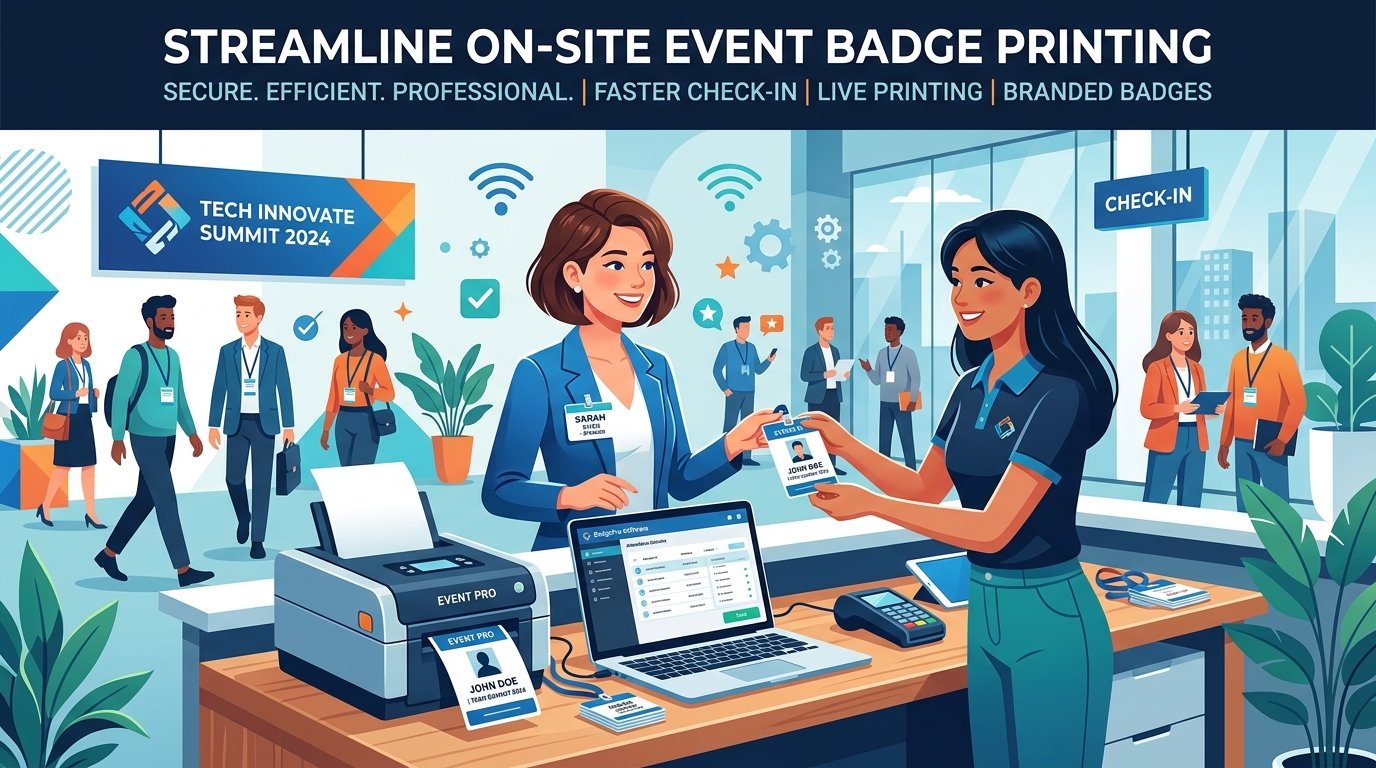
First impressions at any professional event start the moment an attendee walks up to the registration desk. Historically, this first touchpoint has been the source of significant friction—marked by long lines, spelling errors on pre-printed badges, and frustrated staff members hunting through alphabetized badge holders. In 2026, the modern event landscape demands a vastly different experience: contactless, personalized, and instantaneous.
Transitioning from the manual pre-printing era to modern onsite event badge printing software is no longer just an operational upgrade; it is a critical strategy for improving attendee satisfaction, streamlining operations, and cutting unnecessary event costs. This comprehensive guide details why on-demand badge printing is essential, how to choose the right system, and how platforms like EventHex are setting the standard for visual credential design, local offline operations, and live high-speed printing.
The Collapse of Pre-Printed Event Badges
For decades, standard operating procedure required event planners to pre-print hundreds or thousands of attendee badges days, or even weeks, before an event. While this was done to ensure readiness, it introduced massive inefficiency and several critical issues on the day of the event:
- The Correction Bottleneck: Spelling mistakes, incorrect company names, and sudden title changes occur constantly. With pre-printed badges, correcting these errors means manually editing a spreadsheet, re-exporting, and finding a local printer to produce a single patch-job badge that looks completely different from the others.
- Walk-In Registration Chaos: Last-minute attendees are extremely common at B2B conferences, tradeshows, and networking summits. Creating high-quality badges for spontaneous walk-ins on the fly is virtually impossible without dedicated onsite event badge printing software.
- The No-Show Waste: Statistically, 10% to 20% of registered attendees fail to show up. Pre-printing means paying for hundreds of badges, lanyards, and plastic sleeves that immediately go into the landfill. This creates significant plastic and paper waste that contradicts modern corporate sustainability mandates.
Planning onsite badges for your next event? Book a 30-minute EventHex demo and we’ll walk through your registration-to-badge flow.
Why On-Demand Badge Printing is the New Standard
Modern onsite event badge printing software solves all these issues by moving printing from the pre-event phase directly to the point of check-in. This “print-on-arrival” approach offers transformative benefits:
1. Elimination of Bottlenecks and Lines
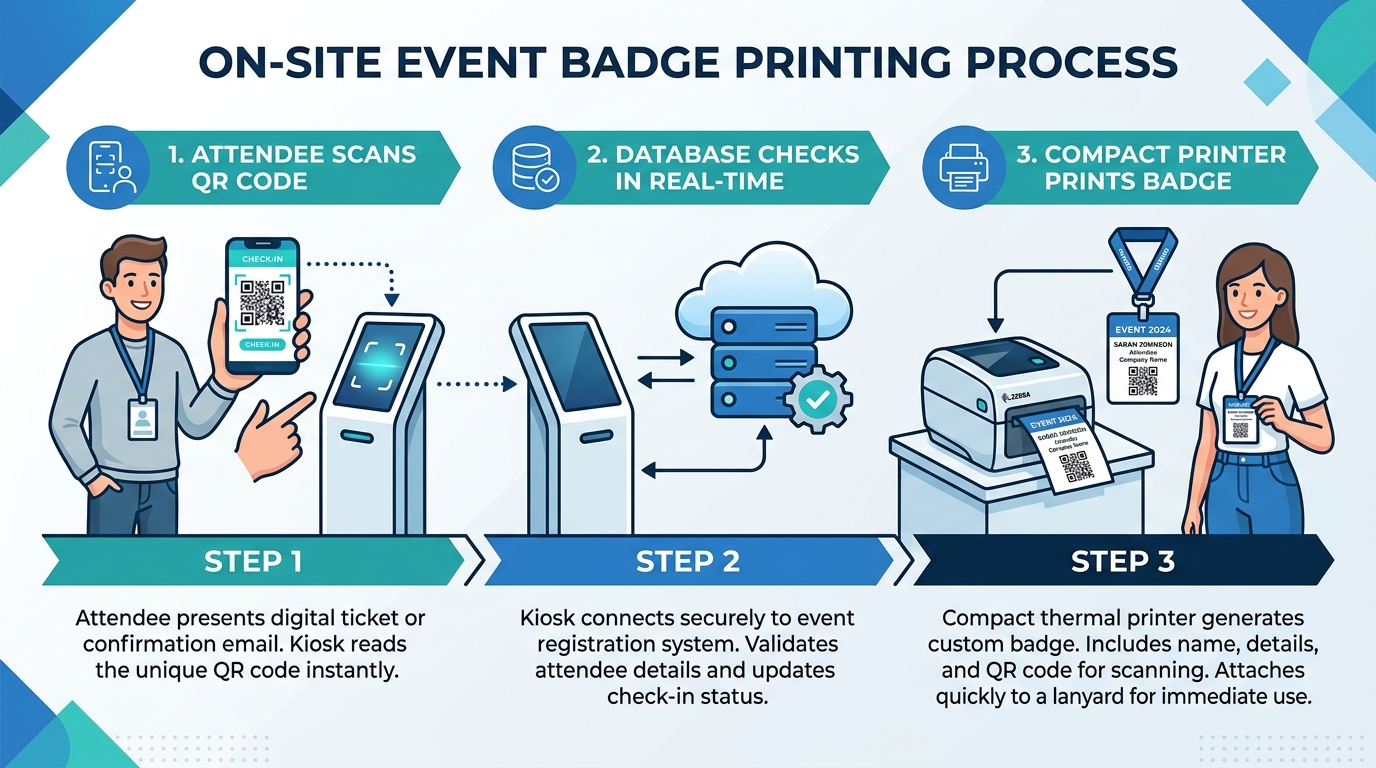
When check-in is linked to a live registration database, attendees simply scan a personalized QR code from their mobile devices. The scanner immediately triggers a compact thermal printer to generate their badge in under five seconds. This keeps lines moving continuously, even during the morning peak rush hours. Pairing the printer with an event check-in app keeps the whole flow to a scan and a print.
2. Absolute Data Accuracy
Because the printing system is synchronized in real time with the event registration database, any update made to an attendee’s profile during or immediately before check-in is instantly reflected on their printed badge. If an attendee registers on their phone in the taxi on the way to the venue, their badge is ready to print the moment they step through the door.
3. Self-Service Kiosk Autonomy
High-volume events can deploy self-service kiosks. Attendees scan, verify, and print their own badges without requiring manual assistance from event staff. This allows organizers to run high-capacity events with fewer registration desk employees, redirecting valuable human resources to more critical attendee engagement tasks.

Key Features of Modern Badge Building & Printing Software
Not all onsite event badge printing software is created equal. To deliver a premium check-in experience, event organizers should look for solutions that combine design flexibility with robust print operations:
Intuitive Visual Editors
A drag-and-drop editor allows organizers to design gorgeous, branded badges without requiring professional graphic design skills. The designer should support easy uploading of brand logos, customization of colors, and flexible placement of attendee information fields.
Dynamic Data Mapping
Instead of manually editing individual badge files, the software should automatically map database fields (such as First Name, Last Name, Company, Role, and Ticket Type) to the badge layout. If an attendee is designated as a “VIP” or “Speaker,” the template should automatically adjust to show distinct colors or labels, allowing security and sponsors to identify premium attendees instantly.
Auto-Generated QR Codes
QR codes are the backbone of modern event logistics. The badge designer should automatically generate and embed unique QR codes on every badge. These codes serve multiple purposes: enabling fast check-in at individual session rooms, tracking attendance, and serving as digital business cards for seamless lead exchange among attendees and sponsors.
Conquering the Ultimate Event Bottleneck: Unreliable Venue WiFi
One of the most significant yet overlooked challenges in event execution is venue network connectivity. At high-end, high-traffic events, the sheer concentration of devices—attendees, staff, AV production, and exhibitors—regularly overloads local WiFi networks. When standard cloud-based check-in software loses internet connection, the registration desk grinds to a halt. Scanners freeze, registration databases become inaccessible, name searches fail, and printing queues stall, leading to rapidly growing queues and frustrated attendees.
EventHex resolves this vulnerability through its robust, **offline-first local print synchronization**. The local EventHex printing application is designed to operate seamlessly during absolute network blackouts:
- Local Caching & Offline Operations: The registration database is cached locally on on-site registration devices. Attendee check-in, name search, and badge printing continue completely uninterrupted, even if the venue’s internet drops entirely.
- Background Auto-Synchronization: The moment network connectivity is restored, the local client automatically runs a background sync, uploading on-site check-in logs and downloading any new registrations or profile modifications in real time.
- On-Spot (Walk-In) Registrations: Last-minute walk-ins can be registered and handled locally at the check-in desk, ensuring their badges print instantly without requiring active internet access.
- Intelligent Duplicate Prevention: To avoid costly material waste and potential credential sharing, EventHex incorporates automatic duplicate detection. If an attendee attempts to print their badge multiple times, the system flags the repetition and prevents duplicate printing, saving valuable paper stock and securing access control.
EventHex: A Unified Badge Building & Live Printing Suite
EventHex provides an all-in-one Badge & Certificate Designer that bridges the gap between digital registration and physical venue operations. The platform offers a unified suite of tools designed specifically for recurring IP events and high-performance B2B conferences.
Multi-Platform Compatibility
To accommodate diverse hardware rentals and staff devices on-site, the EventHex badge printing software features comprehensive cross-platform compatibility. It runs natively and flawlessly across multiple operating systems, including Windows, macOS, and Linux/ChromeOS, allowing organizers to deploy check-in stations using whatever laptops or tablets are available.
Unified Multi-Role Template Management
Managing credentials for diverse groups—Speakers, VIPs, Exhibitors, Sponsors, Media, and General Admission—often requires dozens of distinct badge layouts. Instead of separating these into different files or databases, EventHex manages them from a single, unified control panel. The system automatically selects and outputs the correct design template based on the attendee’s database role the exact millisecond their QR code is scanned, ensuring perfect visual identification at access gates.
Thermal Printer Compatibility
EventHex’s onsite badge printing software supports over 50 thermal and inkjet badge printers (including industry standards like Zebra, Brady, and Dymo). This wide-ranging compatibility ensures that organizers can easily rent or purchase hardware that matches their specific venue infrastructure.
The Post-Event Credential Loop
The attendee journey doesn’t end at the exit doors. To maximize post-event engagement and drive brand loyalty, EventHex includes an integrated professional certificate designer. After the event, the system auto-fills personalized details to generate unique PDF certificates with verified credentials, delivering them to thousands of attendees via email automatically.
Centralized Command Hub
By connecting registration, badge printing, session tracking, and post-event certificate delivery to a single centralized event dashboard, EventHex eliminates spreadsheet chaos and fragmented workflows. Organizers gain a single source of truth across the entire event lifecycle.
Onsite Badge Printing Best Practices
To ensure a flawless on-site check-in experience, keep these best practices in mind:
- Verify Printer Compatibility Early: Test your thermal printers with your onsite event badge printing software at least two weeks before the event. Ensure you have the correct drivers and thermal paper dimensions loaded.
- Create Distinct Visual Layouts: Use different colored headers, borders, or backgrounds for different ticket types (e.g., Speakers, VIPs, Exhibitors, General Admission). This helps venue staff manage access control visually.
- Keep the Design Clean: Avoid cluttering the badge. Focus on large, readable first names, company logos, and a prominent QR code. Detailed agendas or sponsor lists can be placed on the back of double-sided badges.
- Set Up a Dedicated Support Desk: Even with self-service kiosks, have at least one staffed desk dedicated to handling registration exceptions, name modifications, and hardware troubleshooting.
Frequently Asked Questions
What hardware is required for onsite badge printing?
You typically need a laptop or tablet running the onsite badge printing software, a barcode/QR scanner, and a compatible thermal printer (such as a Zebra ZD500 or Brother QL series). Self-service kiosk stands can also be rented for a cleaner aesthetic.
How does EventHex handle internet disconnections on-site?
EventHex uses an offline-first architecture. It caches the registration database locally on on-site devices, allowing check-in name searches and badge printing to continue completely offline. It automatically resynchronizes with the cloud database the moment the internet connection is restored.
How can we prevent duplicate badge printing at check-in?
The software features built-in deduplication and reprint protection. When an attendee’s QR code is scanned, the database marks them as “Checked In.” If a duplicate scan occurs, the system triggers a warning on the operator’s dashboard and halts automatic printing unless manually overridden by staff.
How fast can badges be printed on-site?
With a fast thermal printer connected to EventHex, printing takes under 5 seconds per badge. This completely eliminates the bottleneck typically associated with finding pre-printed badges.
Can the badge designer sync with external registration systems?
Yes. Platforms like EventHex integrate seamlessly with standard registration platforms and custom APIs, pulling data directly into the visual badge layout in real time.
Conclusion
In 2026, professional check-in is the entry gate to your event’s overall attendee experience. Utilizing advanced onsite event badge printing software like EventHex eliminates logistical chaos, protects against venue WiFi failures, reduces material waste, and lets you welcome attendees with a modern, friction-free arrival. Transitioning to on-demand printing is one of the single most impactful changes an organizer can make to elevate their event’s brand and operational excellence.