Short answer: A successful virtual event is planned in phases: define the audience and outcome, build registration and access, prepare speakers and production, rehearse the attendee journey, run the event with a live owner for every interaction, and follow up while the session is still fresh. Use this checklist as a shared operating document from the first planning meeting through the final report.
A meeting link is only one part of a virtual event. Attendees also need a clear reason to register, a simple way to join, a programme they can follow, people who can help when something fails, and useful material after the broadcast ends. The organizer’s job is to connect those moments into one dependable journey.
This guide is written for corporate conferences, association programmes, workshops, training sessions, and online product events. Some steps are platform-independent. Where EventHex is relevant, the examples describe a configured event workflow around Zoom, Google Meet, or Microsoft Teams. Provider permissions and event configuration can change the available recording, transcript, streaming, and participation outputs, so verify the exact setup before production.
Virtual event checklist at a glance
| Phase | Organizer outcome | Completion evidence |
|---|---|---|
| 1. Strategy | A defined audience, format, promise, and success measure | One-page brief approved by the event owner |
| 2. Registration and access | Every attendee knows where and how to join | Test registration, confirmation, reminder, and access path |
| 3. Programme and speakers | Speakers, sessions, assets, and timings are ready | Locked run of show and speaker checklist |
| 4. Production and rehearsal | The technical path works before the audience arrives | Recorded end-to-end rehearsal with owners assigned |
| 5. Live delivery | Attendees can join, participate, and get help | Live command sheet and named operators |
| 6. Follow-up | Content, feedback, and performance data are usable | Recap, survey, report, and debrief completed |
1. Define the event before choosing the platform
Start with the job the event must do. A 45-minute customer webinar, a two-day association conference, and a recurring training series may all be online, but they need different registration rules, session structures, moderation plans, and follow-up.
- Audience: Who should attend, and what do they already know?
- Promise: What will a participant be able to understand, decide, or do after the event?
- Format: Single session, multi-session conference, workshop, panel, training, or hybrid programme?
- Access: Public, invite-only, paid, member-only, or restricted by ticket type?
- Success: Which numbers matter: qualified registrations, live attendance, session participation, leads, satisfaction, or follow-up actions?
Write the promise in one sentence. If the team cannot agree on that sentence, more software will not solve the planning problem. Give each success measure an owner and a target date for review.
2. Build registration and attendee access
Registration is the first operational test. The form should collect only information that changes the attendee experience, access decision, communication, or reporting. Explain the event time zone, format, accessibility options, recording policy, and what happens after registration.
Before promoting the event, test the full path with a real test record:
- Submit the form as a new attendee.
- Confirm the success page and confirmation message.
- Open the calendar or joining instructions on a phone.
- Check reminder timing, time zone, sender name, and support contact.
- Try the path for each ticket or access type that receives a different session list.
EventHex can connect event registration and attendee access with the virtual event workflow: when virtual check-in is enabled, a registered attendee verifies their registration before the meeting link is revealed. Treat this as an access control to verify, not an assumption to inherit. A registered attendee, a checked-in attendee, and a participant visible in a meeting provider report are different records.
3. Design the programme and prepare speakers
Virtual programmes need a clear rhythm. Alternate presentation with a question, poll, demonstration, or short discussion. Put breaks on the agenda even when attendees are joining from home. A published schedule should tell people what happens, when it happens, who is speaking, and what they need to prepare.
For every session, record:
- title, description, duration, and intended audience;
- speaker, moderator, producer, and backup contact;
- slides, video, links, poll questions, Q&A rules, and accessibility requirements;
- joining mode, recording decision, and post-session asset owner;
- the fallback if the speaker loses connection or cannot share their screen.
Give speakers a short technical brief rather than a long instruction pack. Include the joining link, camera and microphone expectations, slide dimensions, how to ask for help, and the rehearsal time. Keep the final run of show in one place so the producer, moderator, and speaker are reading the same version.
4. Prepare the production and access controls
A virtual event has at least two rooms: the attendee-facing experience and the production conversation where the team coordinates it. Name one person to call the show, one person to watch the attendee experience, and one person to support speakers. On smaller events, one person may hold two roles, but the responsibilities still need to be explicit.
Check these dependencies before rehearsal:
- meeting or streaming provider account, host permissions, and admission settings;
- speaker devices, headphones, microphones, cameras, slides, video playback, and screen sharing;
- moderation rules for chat, Q&A, polls, and attendee support;
- recording destination, transcript or caption path, and who reviews the output;
- backup speaker contact, backup slides, alternate joining instructions, and incident message.
EventHex’s virtual and hybrid workflow is designed to coordinate configured Zoom, Google Meet, or Microsoft Teams sessions with registration, virtual check-in, meeting-bot controls, optional streaming destinations, and post-session outputs. Recording, pause/resume, and streaming options depend on the recording provider and event configuration. Do not promise universal recording, transcript, caption, translation, or processing behaviour until the chosen provider and event configuration have been tested.
5. Run an end-to-end rehearsal
Rehearsal is where a plan becomes evidence. Run it at the same time of day, with the same devices, joining permissions, speaker assets, and operator roles that will be used live. Record the session if recording is part of the event promise, then inspect the output instead of assuming it worked.
Use an attendee test account and complete this path:
- Register and open the confirmation on a phone.
- Join from the attendee link and confirm the correct session.
- Test audio, camera, slides, screen share, chat, Q&A, and any poll.
- Admit or restrict participants according to the intended access rule.
- Pause and resume the recording if the workflow supports it.
- Leave, rejoin, and test the support contact.
- Check the resulting recording, transcript, attendance record, and recap input.
Write down the result beside each step: pass, failed, or not applicable. Assign a person and deadline to every failed step. A rehearsal without a recorded decision log is only a meeting.
6. Deliver the event with a live operating sheet
Keep the live operating sheet short enough to use while the event is running. Put the show time, session order, speaker contacts, joining links, moderator prompts, escalation contact, and incident messages on one page. Include the exact words the moderator should use if a speaker is late, a link changes, or the event needs to pause.
Open the room early. Confirm the speaker’s audio and slides, display the welcome instruction, and make it obvious where attendees can ask for help. During the event, watch the attendee experience rather than staring only at the production view. Track arrivals, questions, poll responses, support requests, and session transitions as they happen.
Keep the participation promise small and clear. One useful opening poll, a moderated Q&A, and a visible next step often create a better experience than a long list of features that nobody explains. For more interaction formats, see these virtual event engagement ideas, and use live polling and Q&A to run them.
7. Close the loop with content and follow-up
Follow-up starts before the final session. Decide which assets will be delivered, to whom, through which channel, and by when. A useful post-event package may include a session overview, key takeaways, slides, links, recording access, unanswered questions, feedback request, and the next programme date.
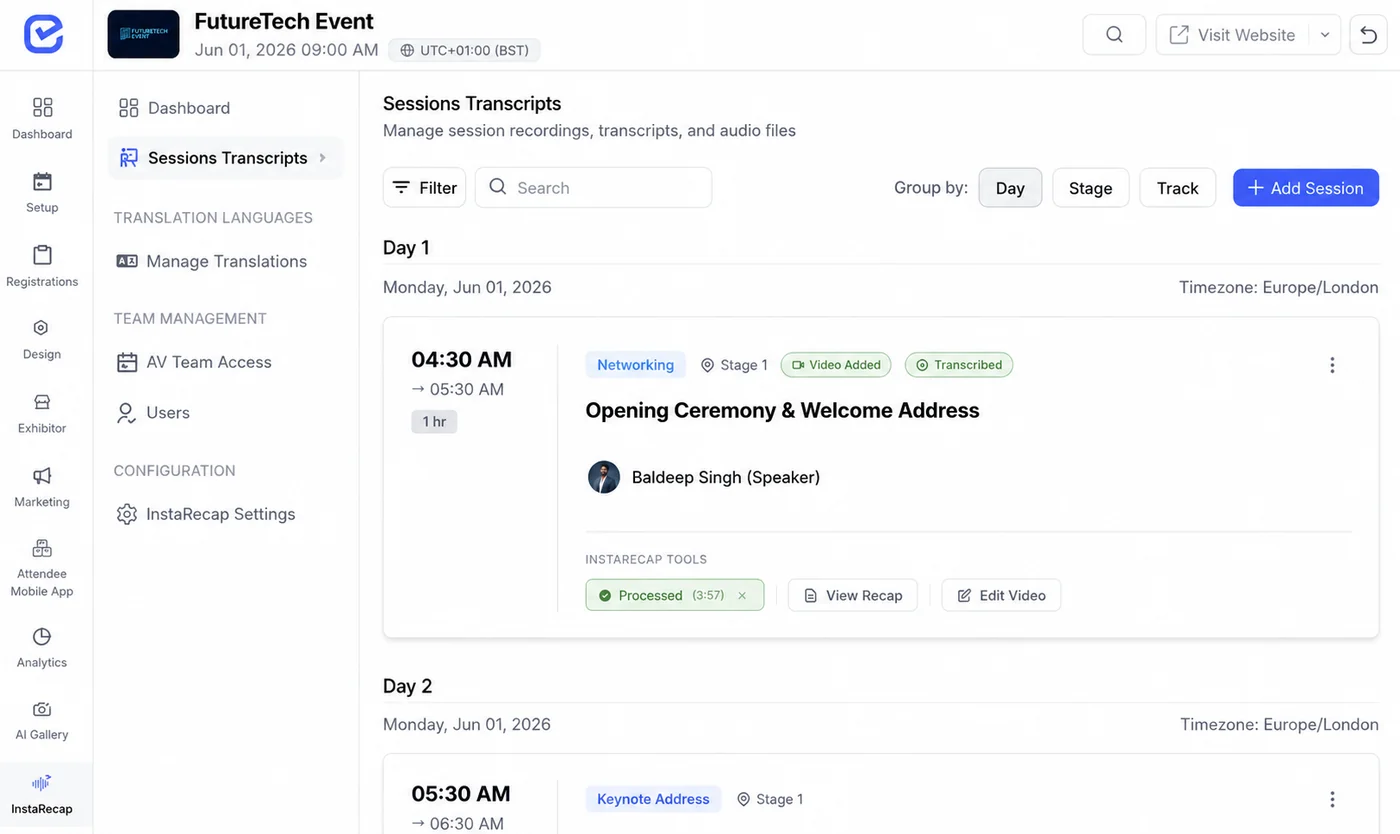
For AI-generated transcripts or recaps, assign a human reviewer. Check names, numbers, action items, speaker attribution, and uncertainty against the source recording or transcript. Keep the original source available to the reviewer. Generated content is an editorial starting point until someone has verified it. Our guide to AI for virtual events explains where transcription, translation, and recaps fit.
EventHex can connect virtual-session outputs to session recap and attendee workflows when the configured source and processing path succeeds. The final delivery still needs an owner, a review step, and an access decision. Do not turn a provider-generated output into a guaranteed attendee result.
8. Measure the event without mixing unlike records
Report each measure with its definition. Registration counts people who completed the form. Virtual check-in counts the configured check-in action. Meeting participation comes from the provider or event workflow. Session engagement may include polls, questions, feedback, or content views. These measures answer different questions.
| Question | Useful measure | Review prompt |
|---|---|---|
| Did the promotion create demand? | Registration conversion and source | Which channel brought qualified registrations? |
| Did people reach the event? | Check-in and provider participation | Where did the access journey fail? |
| Did the session earn attention? | Duration, polls, questions, and feedback | Where did participation rise or fall? |
| Did the content continue working? | Recap opens, recording access, and follow-up actions | What should be improved for the next session? |
Compare results with the promise you wrote at the beginning. A high registration count cannot prove a strong session. A small audience can still be successful when it reaches the intended people and produces the intended decision or action.
Final virtual event checklist
- Audience, format, promise, access model, and success measures are written down.
- Registration, confirmation, reminders, joining links, and support contact are tested.
- Agenda, speakers, moderators, assets, accessibility needs, and backup plans are assigned.
- Provider permissions, recording, transcript, streaming, and check-in behaviour are verified for the actual event setup.
- An end-to-end rehearsal is completed with an attendee test account and a decision log.
- Live roles, operator sheet, moderation rules, and incident messages are ready.
- Post-event content, human review, survey, report, and debrief owners are named.
- Registration, check-in, participation, engagement, and follow-up measures are reported separately.
Frequently asked questions
How far in advance should I plan a virtual event?
The right lead time depends on the format, speaker count, promotion cycle, and production complexity. Start early enough to lock the programme, test registration, run a full rehearsal, and leave time to fix access or asset problems. A short webinar may need less planning than a multi-session conference, but neither should skip the rehearsal.
Do I need a virtual event platform if I already use Zoom or Microsoft Teams?
A meeting provider can supply the room. An event platform can organize the wider journey around that room: registration, access, sessions, attendee records, check-in, communications, outputs, and follow-up. Choose based on the workflow your team needs, and verify which responsibilities stay with the meeting provider.
Should every virtual event be recorded?
Decide based on audience expectation, speaker consent, content sensitivity, access policy, and the actual provider setup. If you promise a recording, test the recording path and define who reviews and publishes it. A recording that cannot be accessed or understood is not a complete follow-up asset.
How do I keep virtual attendees engaged?
Give attendees a clear action at useful intervals: a poll, a moderated question, a discussion prompt, a short break, or a follow-up task. Make the action visible, explain how to complete it, and show how the response changes the session or next step.
What should I send after a virtual event?
Send the material that helps the attendee act: a short recap, verified takeaways, slides or links, recording access when appropriate, unanswered questions, feedback request, and the next relevant action. Match the package to the original event promise.
A dependable virtual event is a sequence of verified handoffs
Planning becomes easier when every phase has an owner and a visible completion check. Define the promise, test the access path, rehearse the live workflow, review the content output, and report what each measure actually means. That sequence gives your team a repeatable event system instead of a collection of last-minute links.
To see how EventHex coordinates registration-verified virtual access, session operations, participation records, streaming configuration, and post-session workflows, explore the virtual and hybrid event workflow or book an EventHex demo.