Short answer: Hybrid event planning means designing one event for two audiences: the people in the room and the people watching from somewhere else. Start by deciding why you need an online audience at all, then plan registration, the run of show, production, engagement and follow-up so each group gets a complete experience. The events that go wrong usually treat the online audience as an afterthought, a camera at the back of the room. The ones that work give remote attendees their own host, their own way to take part, and a clear reason to stay.
This guide walks through hybrid event planning step by step, from goals and budget to the day itself and what happens after. It is written for organizers of conferences, summits, association meetings and corporate events who already know how to run an in-person event and want to add an online audience without doubling their workload.
Hybrid event planning at a glance
| Stage | Key decision | What to have ready |
|---|---|---|
| Goals and format | Why do you need an online audience, and which sessions should they see? | A one-line purpose and a list of streamed vs room-only sessions |
| Budget | How much goes to production vs venue? | Separate lines for AV, streaming, connectivity, remote host and captions |
| Registration and tickets | Separate in-person and online tickets, or one ticket with a choice? | Ticket types, prices, capacities and the questions each group answers |
| Agenda | Which time zone, and how long can online viewers sit? | Run of show with streamed segments, breaks and online-only moments |
| Venue and production | Who owns the camera, sound and stream? | Wired internet, a tested stream, backup plan, production lead |
| Engagement | How do both audiences ask questions and vote? | One Q&A and polling flow both rooms can use, plus a remote moderator |
| Event day | How do you check in both groups and track attendance? | QR check-in on site, a verified join link online, live attendance view |
| After the event | What do people get once it is over? | Recordings, session summaries, survey, separate follow-up per audience |
1. Decide why the event is hybrid
Before you book a camera crew, write down why the event needs an online audience. The answer shapes every later decision. Common reasons include reaching members or customers who cannot travel, giving a sponsor a bigger audience, letting international speakers take part without flying in, or keeping an annual meeting open to everyone with a vote.
Once the purpose is clear, decide what the online audience actually gets. Very few events stream everything. A typical pattern is to stream the keynotes, main-stage panels and award moments, and keep workshops, roundtables and networking in the room. Write that list down early. It sets your production budget, your ticket pricing and what you promise on the registration page.
It also helps to set two or three goals for each audience. For the room it might be meetings booked and sessions attended. For the online audience it might be average watch time, questions asked and how many people joined at least one live session. Picking these now means you will set up the tools to measure them before the day, not scramble for numbers afterwards.
2. Build a budget with two audiences in mind
A hybrid event costs more than an in-person event of the same size, but not necessarily twice as much. The extra money usually goes to a short list of items:
- Audio and video production: cameras, a switcher, an operator, and above all good microphones. Online viewers forgive average video far more easily than bad sound.
- Connectivity: a dedicated wired line for the stream, separate from the guest Wi-Fi, plus a backup connection.
- A streaming or meeting platform: many teams already pay for Zoom, Google Meet or Microsoft Teams and use the account they have.
- A remote host or moderator: someone whose only job is the online audience.
- Accessibility: captions, and translation if your audience needs it.
On the income side, online tickets are usually cheaper than in-person passes, and some organizers make the stream free to grow reach and sponsor value. Whatever you choose, give the online tier its own budget line so you can see whether it paid for itself. If you are building your first full event budget, our corporate event budget template has a structure you can extend with a hybrid section.
3. Set up registration and tickets for both audiences
The cleanest approach is to sell separate ticket types, for example “In-person pass” and “Online pass”, each with its own price, capacity and sale window. This keeps venue capacity accurate and lets you send each group the right information. One ticket with a “how will you attend?” question works for small free events, but it gets messy once people switch formats or you need to cap the room.
Keep the online registration form short. People who are not travelling have less commitment and drop off more easily on long forms. Ask in-person attendees for the extras you need on site, such as dietary needs, badge details and session choices, and keep the online form to name, email, organization and one or two useful questions.
In EventHex, you can set an event’s type to hybrid and sell several ticket types side by side, each with its own price and limits. Registration runs through the registration form you build for the event. If you currently collect sign-ups in a spreadsheet or a free form, our guide to Google Forms event registration covers when that stops being enough.
4. Plan an agenda that works on screen and in the room
A full day in a conference hall is normal. A full day in front of a laptop is not. Build the agenda for the stronger constraint, which is usually the online audience:
- Pick a primary time zone and say it clearly on every page and email. If your online audience spans continents, put the most important sessions in a window that works for most of them.
- Keep streamed blocks short. Sessions of 30 to 45 minutes with a clear break in between hold attention better than long back-to-back blocks.
- Plan the breaks for both groups. When the room goes to coffee, the stream should not just show an empty stage. Use the time for a short online-only interview, a sponsor segment or a simple holding slide with the next start time.
- Give online attendees something of their own. A short pre-show, a live chat with a speaker after their talk, or an online-only roundtable makes remote attendance feel like a choice rather than a lesser ticket.
Write a run of show that marks which segments are streamed, who is on camera, and when the remote host speaks. Share it with the production team, the stage manager and the remote moderator so all three work from the same timeline.
5. Venue, production and connecting the online audience
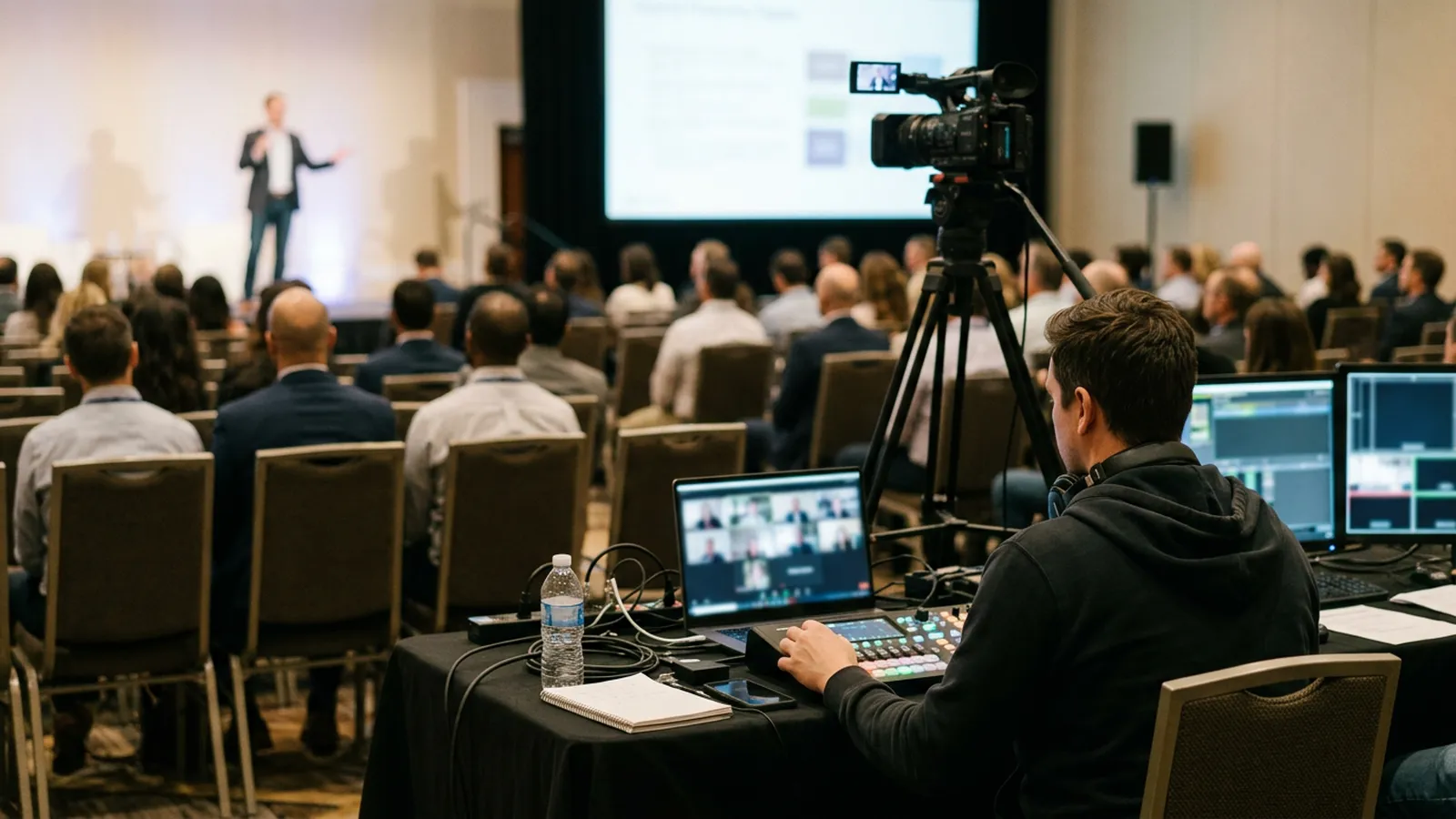
When you visit venues, look at them as a TV studio as well as a meeting room. Ask about a wired internet line for the stream, power at the back of the room for the production desk, stage lighting that works on camera, and where a camera can sit without blocking anyone’s view. Book a technical rehearsal in the room itself, ideally the day before.
Then decide how online attendees will actually watch. Most organizers run the online side through a meeting tool they already use, such as Zoom, Google Meet or Microsoft Teams, and some also stream to YouTube Live or Facebook Live for a wider public audience. Whichever you choose, appoint one production lead who owns the stream, and agree a backup: a second laptop already signed in, and a short message ready to send if the stream drops.
In EventHex, a hybrid or virtual event gets a Virtual Event area where you paste the Google Meet, Zoom or Teams link for the event, and you can also add a meeting link to individual sessions. An AI meeting bot can join the call to record it and produce a transcript, and the same area lets you send the meeting to YouTube Live, Facebook Live or another streaming destination. Read more on the virtual and hybrid events page.
6. Make engagement work for both rooms
The hardest part of hybrid event planning is making the online audience feel present. A few habits make the biggest difference:
- Use one Q&A flow for everyone. If the room asks questions on a microphone and the online audience types in a chat nobody reads, remote attendees quickly stop trying. A single question list that both groups use, read out by the moderator, puts them on equal terms.
- Run live polls both groups can answer. Show the results on the room screen and on the stream at the same time.
- Appoint a remote host. This person welcomes online attendees, reads their questions to the stage and keeps the chat moving.
- Address the camera. Brief speakers to greet the online audience by name and to repeat questions from the room before answering them.
EventHex gives each poll and the event’s question page a link that attendees open on their phone, so people in the hall and people at home take part through the same screen. Results update live on the room display. See how it works on the live polling and Q&A page, and for more ideas aimed at remote viewers, read our list of virtual event engagement ideas.
7. Check in both audiences and track attendance
On site, check-in works as it does at any event: attendees show a QR code from their confirmation, staff scan it at the door, and badges can be printed on arrival. The online side is where many hybrid events lose track. If you simply email the meeting link to everyone, you cannot tell who registered and joined, who joined without registering, or who never turned up.
A better pattern is a gated join link: online attendees open a check-in page, confirm they are registered, and only then get into the session. That gives you a real attendance record for the online audience to sit alongside the in-person check-in numbers.
In EventHex, staff scan attendee QR codes with the check-in app on the day. For the online side, virtual check-in gives attendees a gated link that verifies their registration and records attendance, and you choose how many minutes before the start it opens. You can also allow public joiners: visitors enter their name and email, verify their phone number with a one-time code, and are registered on a free ticket you choose. After the session, an attendance report lists who joined online.
8. Follow up separately with each audience
The event is not over when the stream ends. Online attendees in particular expect the recording, and many will watch sessions they missed. Plan your follow-up before the day:
- Send recordings and session summaries within a day or two, while interest is high.
- Write separate thank-you messages. In-person attendees want photos and slides; online attendees want recordings and a way to keep the conversation going.
- Ask a few short survey questions about stream quality and whether people would join online again.
- Compare the two audiences against the goals you set in step 1: attendance, watch time, questions asked and leads generated.
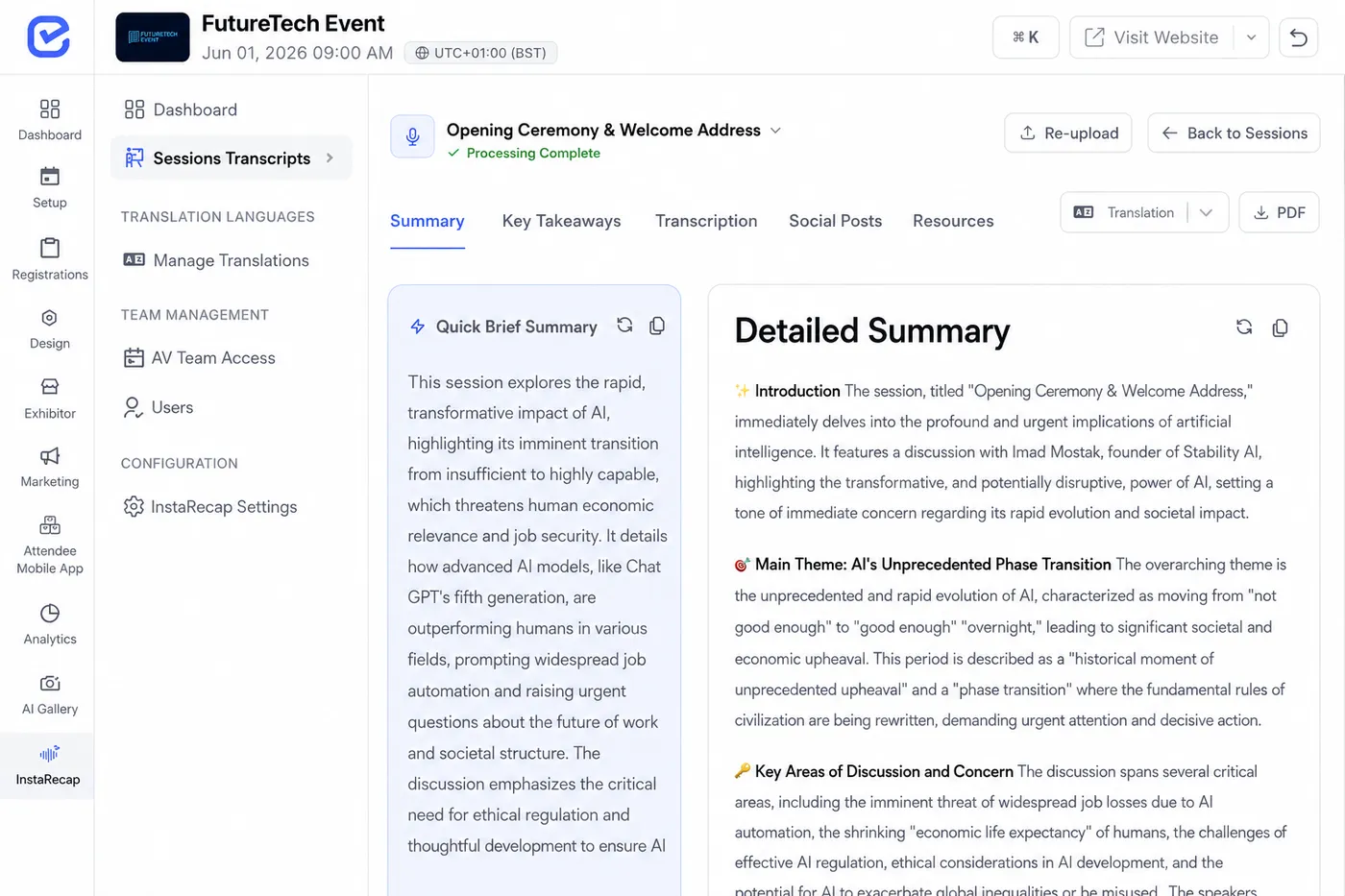
EventHex’s AI Session Recap turns a session recording into a summary, key takeaways, a full transcript and ready-to-post social copy, so you can send online attendees more than a long video file.
Common hybrid event planning mistakes
- Treating the stream as a camera at the back. Online viewers see a wide, distant shot and hear the room. Use a close-up camera on the speaker and a direct audio feed.
- Skipping the technical rehearsal. Most stream failures (wrong audio input, slides not showing, a weak connection) show up in the first five minutes of a rehearsal.
- No one owns the online audience. Without a remote host, questions from home go unanswered and people leave.
- One email for everyone. In-person and online attendees need different joining instructions. Send them separately.
- Not measuring the online side. If you only count badges scanned, you cannot tell whether the hybrid part was worth it.
If you are running a fully online event instead, our virtual event planning checklist covers that format phase by phase.
FAQ
What is hybrid event planning?
Hybrid event planning is the process of organizing one event for an in-person audience and an online audience at the same time. It covers the usual planning work, such as venue, agenda and registration, plus streaming, remote engagement and separate communication for each group.
How far in advance should you plan a hybrid event?
For a conference or summit, start three to six months ahead, the same as for an in-person event of that size. Add time for choosing a production partner, testing the stream in the venue and building a separate communication plan for online attendees.
Do online and in-person attendees need different tickets?
Not always, but separate ticket types are usually easier. They let you price each option differently, cap the room without limiting the stream, and send each group the right joining instructions.
How do you keep online attendees engaged during a hybrid event?
Give them a dedicated remote host, use one Q&A and polling flow that both audiences share, keep streamed sessions short, and plan something during breaks so the stream never shows an empty stage. Brief speakers to speak to the camera as well as the room.
What equipment do you need for a hybrid event?
At minimum: a camera aimed at the stage, good microphones with a direct feed to the stream, a laptop or encoder to send the stream, a wired internet connection with a backup, and a screen in the room to show online questions and poll results. Larger events add more cameras, a switcher and a dedicated operator.
How do you track attendance for the online audience?
Instead of emailing the meeting link to everyone, send online attendees to a check-in page that confirms their registration before they join. That gives you a record of who actually attended, which you can compare with in-person check-ins.
Plan your next hybrid event with one platform
Hybrid events work when both audiences get a complete experience: their own ticket, a way to take part, and something useful afterwards. EventHex brings registration, ticketing, on-site check-in, virtual check-in, live polls and Q&A, and AI session recaps into one place, so you are not stitching five tools together for one event. Book a demo to see how it fits your next hybrid event.